Download Revenue Cloud Consultant Accredited Professional Exam.Rev-Con-201.Actual4Test.2026-05-25.98q.vcex
| Vendor: | Salesforce |
| Exam Code: | Rev-Con-201 |
| Exam Name: | Revenue Cloud Consultant Accredited Professional Exam |
| Date: | May 25, 2026 |
| File Size: | 814 KB |
How to open VCEX files?
Files with VCEX extension can be opened by ProfExam Simulator.
Purchase
Coupon: TAURUSSIM_20OFF
Discount: 20%
Demo Questions
Question 1
A Revenue Cloud Consultant wants to automatically sync the family field (Family) from the Product2 object to the Quote Line custom field (Family__c) during quoting.
How should the consultant address this using only Revenue Cloud functionality?
- Create an Apex trigger on the quote line item to query the information from the Product2 'Family' field and write it back to the Quote Line.
- Update the Product Discovery Context by mapping the Catalog Product and the Product2 nodes and then mapping the Family and Family__c fields.
- Update the Pricing context definition by mapping the Catalog Product and the Product2 nodes and then mapping the Family and Family__c fields.
Correct answer: B
Explanation:
Exact Extracts from Salesforce Revenue Cloud (CPQ & Subscription Management Implementation Guides):* "Product Discovery Context defines the data mapping between Catalog Product and Salesforce Product2 objects. It allows synchronization of product attributes during quote configuration without the need for code."* "Field mappings in Product Discovery Context ensure that custom or standard fields, such as Family, are automatically propagated to quote lines during the quoting process."* "Pricing Contexts are used exclusively for pricing calculations, not for data synchronization." Step-by-Step Reasoning:* Requirement: Automatically copy Family (Product2) # Family__c (Quote Line) using declarative Revenue Cloud tools.* Correct Tool: Product Discovery Context handles field mappings from Catalog Product # Product2 # Quote Line.* Why Option B is Correct:* Product Discovery Context provides declarative mapping for attribute synchronization.* No Apex code or custom trigger needed.* Why Others Are Incorrect:* A: Involves Apex; not declarative or required.* C: Pricing Context controls price variables, not data field synchronization.References :* Salesforce CPQ Implementation Guide - Product Discovery Context and Field Mappings* Salesforce Subscription Management Implementation Guide - Context Configuration for Product Data Synchronization Exact Extracts from Salesforce Revenue Cloud (CPQ & Subscription Management Implementation Guides):
* "Product Discovery Context defines the data mapping between Catalog Product and Salesforce Product2 objects. It allows synchronization of product attributes during quote configuration without the need for code."
* "Field mappings in Product Discovery Context ensure that custom or standard fields, such as Family, are automatically propagated to quote lines during the quoting process."
* "Pricing Contexts are used exclusively for pricing calculations, not for data synchronization." Step-by-Step Reasoning:
* Requirement: Automatically copy Family (Product2) # Family__c (Quote Line) using declarative Revenue Cloud tools.
* Correct Tool: Product Discovery Context handles field mappings from Catalog Product # Product2 # Quote Line.
* Why Option B is Correct:
* Product Discovery Context provides declarative mapping for attribute synchronization.
* No Apex code or custom trigger needed.
* Why Others Are Incorrect:
* A: Involves Apex; not declarative or required.
* C: Pricing Context controls price variables, not data field synchronization.
References :
* Salesforce CPQ Implementation Guide - Product Discovery Context and Field Mappings
* Salesforce Subscription Management Implementation Guide - Context Configuration for Product Data Synchronization
Question 2
A company sells a wide range of products across multiple business units. Each product must support different selling models, such as one-time, term-based, and evergreen. The company wants to bundle these products in configurable ways without duplicating product records. Additionally, product attributes should be reusable across offerings, and product teams need to maintain the catalog with minimal manual effort.
Given these requirements, how should a consultant design the product catalog in Revenue Cloud?
- Create separate product records for each business unit and selling model combination to handle variations independently.
- Use product classifications for attribute reuse and apply selling models at the product level to support flexibility.
- Use static bundles with hard-coded attributes for each selling model to simplify configuration.
Correct answer: B
Explanation:
* "Product Classifications allow you to define and manage attributes that are reusable across multiple products, ensuring catalog consistency and reducing maintenance."* "Selling Models define how a product is sold-one-time, term-based, or evergreen-and can be applied to a product without duplicating the record."* "A flexible catalog design leverages reusable metadata like Product Classifications, Selling Models, and Attribute Sets rather than creating separate product records for each variation."* "Dynamic or configurable bundles support product combinations across business units without static dependencies or hard-coded configurations." Step-by-Step Reasoning:* Core Requirement: Minimize catalog duplication while supporting various selling models and reusable attributes.* Key Design Factor: Use Product Classifications to standardize and reuse product attributes across offerings.* Implementation Approach: Assign Selling Models at the product level (One-Time, Term, Evergreen) for flexible pricing and lifecycle management.* Outcome: This setup enables consistent catalog governance, lower maintenance, and support for configurable bundles across multiple business units.Incorrect Options:* A: Creates redundant records and increases maintenance.* C: Static bundles eliminate flexibility and reusability, conflicting with requirements.References:Salesforce Subscription Management Implementation Guide - Product Catalog and Classifications Salesforce CPQ Implementation Guide - Product Configuration and Selling Models Salesforce Billing Implementation Guide - Catalog Setup and Product Lifecycle Management * "Product Classifications allow you to define and manage attributes that are reusable across multiple products, ensuring catalog consistency and reducing maintenance."
* "Selling Models define how a product is sold-one-time, term-based, or evergreen-and can be applied to a product without duplicating the record."
* "A flexible catalog design leverages reusable metadata like Product Classifications, Selling Models, and Attribute Sets rather than creating separate product records for each variation."
* "Dynamic or configurable bundles support product combinations across business units without static dependencies or hard-coded configurations." Step-by-Step Reasoning:
* Core Requirement: Minimize catalog duplication while supporting various selling models and reusable attributes.
* Key Design Factor: Use Product Classifications to standardize and reuse product attributes across offerings.
* Implementation Approach: Assign Selling Models at the product level (One-Time, Term, Evergreen) for flexible pricing and lifecycle management.
* Outcome: This setup enables consistent catalog governance, lower maintenance, and support for configurable bundles across multiple business units.
Incorrect Options:
* A: Creates redundant records and increases maintenance.
* C: Static bundles eliminate flexibility and reusability, conflicting with requirements.
References:
Salesforce Subscription Management Implementation Guide - Product Catalog and Classifications Salesforce CPQ Implementation Guide - Product Configuration and Selling Models Salesforce Billing Implementation Guide - Catalog Setup and Product Lifecycle Management
Question 3
A global manufacturing company is implementing Revenue Cloud alongside Sales Cloud and Service Cloud.
The company's product catalog spans multiple business units and markets. The catalog must support reusable attributes, configurable product bundles, and governance controls to prevent inconsistent updates.
Stakeholders from product, sales, and IT are involved, but responsibilities need to be clearly defined to avoid bottlenecks and maintain catalog scalability. Which role assignments support long-term product catalog governance?
- Product Managers own all catalog activities end-to-end since they manage product decisions.
- Catalog Administrator manages classifications and attributes. Product Designer defines product structures and bundles.
- Sales Operations manages attributes and classifications. Salesforce Administrator defines product bundles and hierarchy.
Correct answer: B
Explanation:
According to Salesforce Help documentation on "Product Catalog Management Personas for Revenue Cloud," the correct role segregation for effective governance uses specialized personas with distinct responsibilities.The Catalog Administrator role manages classifications, attributes, and the broader catalog governance structure, while the Product Designer role focuses specifically on defining product structures and bundle configurations.The Catalog Administrator persona administers Product Catalog Management, integrates Product Catalog Management features with other systems, maintains data integrity, and assigns permission set groups to other admins who handle specific areas of catalog management. This role ensures consistent governance across business units and markets. They control attribute definitions, product classifications, and reusable components that span the organization.The Product Designer persona works within the governance framework established by the Catalog Administrator, focusing on designing specific product structures, configuring bundled products, and defining component relationships. Product Designers inherit standardized attributes and classifications from the Catalog Administrator and apply them consistently when building product offerings.Option A (Product Managers owning all activities) creates bottlenecks and violates segregation of duties principles. Option C (Sales Operations managing attributes and Salesforce Admin managing bundles) splits responsibilities in a way that leads to inconsistency. The separation in Option B ensures that governance controls (classifications, attributes, reusability) are managed centrally by the Catalog Administrator while Product Designers execute within those controls, supporting scalability and preventing inconsistent updates across business units.References: Salesforce Help - Product Catalog Management Personas for Revenue Cloud, Product Catalog Management Editions and Permission Sets documentation According to Salesforce Help documentation on "Product Catalog Management Personas for Revenue Cloud," the correct role segregation for effective governance uses specialized personas with distinct responsibilities.
The Catalog Administrator role manages classifications, attributes, and the broader catalog governance structure, while the Product Designer role focuses specifically on defining product structures and bundle configurations.
The Catalog Administrator persona administers Product Catalog Management, integrates Product Catalog Management features with other systems, maintains data integrity, and assigns permission set groups to other admins who handle specific areas of catalog management. This role ensures consistent governance across business units and markets. They control attribute definitions, product classifications, and reusable components that span the organization.
The Product Designer persona works within the governance framework established by the Catalog Administrator, focusing on designing specific product structures, configuring bundled products, and defining component relationships. Product Designers inherit standardized attributes and classifications from the Catalog Administrator and apply them consistently when building product offerings.
Option A (Product Managers owning all activities) creates bottlenecks and violates segregation of duties principles. Option C (Sales Operations managing attributes and Salesforce Admin managing bundles) splits responsibilities in a way that leads to inconsistency. The separation in Option B ensures that governance controls (classifications, attributes, reusability) are managed centrally by the Catalog Administrator while Product Designers execute within those controls, supporting scalability and preventing inconsistent updates across business units.
References: Salesforce Help - Product Catalog Management Personas for Revenue Cloud, Product Catalog Management Editions and Permission Sets documentation
Question 4
A customer wants to define default entitlement for data storage that they want to sell.
What should they use to accomplish this?
- Product Usage Grant
- Product Usage Resource
- Rate Card Entries
Correct answer: A
Explanation:
In Salesforce Revenue Cloud, when a customer wants to define a default entitlement for a usage-based service (such as data storage), they should use a Product Usage Grant. This object is used to define:* The default quantity or amount a customer is entitled to* The type of usage (e.g., data, API calls, minutes)* Any limits or allowances that are bundled with a subscription or product Product Usage Grants are tied to the commercial product and are part of the entitlement management model in Salesforce Subscription Management. They enable entitlement tracking and enforcement of usage limits.* Product Usage Resource defines the type of resource being measured (e.g., "Data Storage").* Rate Card Entries are used to define pricing for overage or tiered usage, not entitlements.Therefore, to specify the default amount included with a product, the correct object is Product Usage Grant.Exact Extracts from Salesforce Revenue Cloud Documents:* Subscription Management Implementation Guide - "Usage-Based Entitlements":"Use Product Usage Grants to define the included entitlements (e.g., 5GB of storage) that a customer receives with their subscription."* Revenue Cloud Product Setup - "Usage Grant vs. Usage Resource":"Product Usage Resource defines what is measured. Product Usage Grant defines how much is granted." References:Salesforce Subscription Management Implementation GuideRevenue Cloud Usage-Based Product Configuration GuideSalesforce CPQ and Billing Object Reference In Salesforce Revenue Cloud, when a customer wants to define a default entitlement for a usage-based service (such as data storage), they should use a Product Usage Grant. This object is used to define:
* The default quantity or amount a customer is entitled to
* The type of usage (e.g., data, API calls, minutes)
* Any limits or allowances that are bundled with a subscription or product Product Usage Grants are tied to the commercial product and are part of the entitlement management model in Salesforce Subscription Management. They enable entitlement tracking and enforcement of usage limits.
* Product Usage Resource defines the type of resource being measured (e.g., "Data Storage").
* Rate Card Entries are used to define pricing for overage or tiered usage, not entitlements.
Therefore, to specify the default amount included with a product, the correct object is Product Usage Grant
.
Exact Extracts from Salesforce Revenue Cloud Documents:
* Subscription Management Implementation Guide - "Usage-Based Entitlements":"Use Product Usage Grants to define the included entitlements (e.g., 5GB of storage) that a customer receives with their subscription."
* Revenue Cloud Product Setup - "Usage Grant vs. Usage Resource":"Product Usage Resource defines what is measured. Product Usage Grant defines how much is granted." References:
Salesforce Subscription Management Implementation Guide
Revenue Cloud Usage-Based Product Configuration Guide
Salesforce CPQ and Billing Object Reference
Question 5
A sales rep notices that while creating a quote, the Browse Products button isn't visible on the Quote Page Layout.
What is the cause of the problem?
- The Revenue Cloud Consultant did not assign the Product Configurator permission set to the sales rep.
- The Revenue Cloud Consultant did not assign the Product Configuration Rules Designer permission set to the sales rep.
- The Revenue Cloud Consultant did not assign the Product Discovery User permissions to the sales rep.
Correct answer: C
Explanation:
The Browse Products functionality is part of the Product Discovery experience in Salesforce Revenue Cloud.For a user to access and utilize this interface during quote creation, they must be assigned the Product Discovery User permission set. This permission set includes the necessary access to Product Discovery components, UI elements, and underlying Apex classes that support the Browse Products button on the quote page.According to the Salesforce Revenue Cloud Product Discovery documentation, failure to assign this permission set will result in the Browse Products button being hidden or inaccessible, even if the rest of the CPQ package is functional.Option A refers to the Product Configurator, which enables configuration of bundles and rules, but doesn't control the Browse Products experience.Option B is related to users who design product configuration rules - not end users like sales reps.Exact Extracts from Salesforce Revenue Cloud Documents:* CPQ Implementation Guide - "Enabling Product Discovery":"Users must be assigned the Product Discovery User permission set to access the Browse Products button and use the Product Discovery experience on the quote page."* Admin Guide - "Setting up Product Discovery for Sales Users":"Add the Product Discovery permission set to ensure visibility of Browse Products and category-based browsing." References:Salesforce CPQ Implementation GuideRevenue Cloud Product Discovery Setup GuideSalesforce Revenue Cloud Admin Permissions Reference The Browse Products functionality is part of the Product Discovery experience in Salesforce Revenue Cloud.
For a user to access and utilize this interface during quote creation, they must be assigned the Product Discovery User permission set. This permission set includes the necessary access to Product Discovery components, UI elements, and underlying Apex classes that support the Browse Products button on the quote page.
According to the Salesforce Revenue Cloud Product Discovery documentation, failure to assign this permission set will result in the Browse Products button being hidden or inaccessible, even if the rest of the CPQ package is functional.
Option A refers to the Product Configurator, which enables configuration of bundles and rules, but doesn't control the Browse Products experience.
Option B is related to users who design product configuration rules - not end users like sales reps.
Exact Extracts from Salesforce Revenue Cloud Documents:
* CPQ Implementation Guide - "Enabling Product Discovery":"Users must be assigned the Product Discovery User permission set to access the Browse Products button and use the Product Discovery experience on the quote page."
* Admin Guide - "Setting up Product Discovery for Sales Users":"Add the Product Discovery permission set to ensure visibility of Browse Products and category-based browsing." References:
Salesforce CPQ Implementation Guide
Revenue Cloud Product Discovery Setup Guide
Salesforce Revenue Cloud Admin Permissions Reference
Question 6
A product administrator notices that the price of a warranty product is not being calculated correctly. It should be calculated as 10% of another equipment product's list price, but only when the products are purchased together in the same quote or order. This calculation works correctly for other products, but not for this specific warranty product.
How should the product administrator resolve this issue?
- Find the Derived Price element and add the appropriate input/output variables in the pricing procedure.
- Find the Derived Price record where Product = Warranty and set the Derived Pricing Scope to Transactional.
- Find the price book entry of the equipment product and enable the Is Derived checkbox.
Correct answer: B
Explanation:
Exact Extracts from Salesforce Revenue Cloud (Pricing Procedure and Derived Pricing Documentation):* "Derived Pricing allows a product's price to be calculated based on another product's price, either within the same quote or across transactions."* *"The Derived Pricing Scope determines when and how the derived price is evaluated:* Transactional: The derived price is calculated dynamically when both products are in the same quote or order.* Global: The derived price references a price from the catalog or price book, not quote-specific."** "If the Derived Pricing Scope is not set to Transactional, product interdependencies within the same quote will not evaluate." Step-by-Step Reasoning:* Scenario: Warranty should price dynamically based on another product in the same transaction.* Root Cause: The Derived Pricing Scope on the warranty product is likely not set to Transactional.* Solution: Update the Derived Price record for the warranty product # set Derived Pricing Scope = Transactional.* Why B is Correct: Ensures the price is recalculated dynamically when the related product exists in the same quote/order.* Why A & C are Incorrect:* A: Variables in the pricing procedure define logic but not scope of calculation.* C: "Is Derived" on price book entries flags derivation capability but not the transaction context for dynamic evaluation.References :* Salesforce CPQ Implementation Guide - Derived Pricing Concepts and Scopes* Salesforce Subscription Management Implementation Guide - Pricing Dependencies and Derived Price Records Exact Extracts from Salesforce Revenue Cloud (Pricing Procedure and Derived Pricing Documentation):
* "Derived Pricing allows a product's price to be calculated based on another product's price, either within the same quote or across transactions."
* *"The Derived Pricing Scope determines when and how the derived price is evaluated:
* Transactional: The derived price is calculated dynamically when both products are in the same quote or order.
* Global: The derived price references a price from the catalog or price book, not quote-specific."*
* "If the Derived Pricing Scope is not set to Transactional, product interdependencies within the same quote will not evaluate." Step-by-Step Reasoning:
* Scenario: Warranty should price dynamically based on another product in the same transaction.
* Root Cause: The Derived Pricing Scope on the warranty product is likely not set to Transactional.
* Solution: Update the Derived Price record for the warranty product # set Derived Pricing Scope = Transactional.
* Why B is Correct: Ensures the price is recalculated dynamically when the related product exists in the same quote/order.
* Why A & C are Incorrect:
* A: Variables in the pricing procedure define logic but not scope of calculation.
* C: "Is Derived" on price book entries flags derivation capability but not the transaction context for dynamic evaluation.
References :
* Salesforce CPQ Implementation Guide - Derived Pricing Concepts and Scopes
* Salesforce Subscription Management Implementation Guide - Pricing Dependencies and Derived Price Records
Question 7
A large enterprise company offers flexible options for customers to lease or buy products. Before implementing Revenue Cloud, the company had a large product catalog to ensure that each product could be associated with the correct price to support both lease and buy use cases.
Which Revenue Cloud feature should help the company rationalize its product catalog?
- Product selling model and product selling model option
- Commercial products and Technical products
- Multiple price books and associated price book entries
Correct answer: A
Explanation:
Salesforce Revenue Cloud introduces the Product Selling Model and Product Selling Model Option framework to help companies offer multiple purchase or subscription options for the same base product, reducing catalog sprawl. This approach is ideal for businesses that previously created multiple product records (e.g., separate SKUs for lease vs. buy) just to accommodate different pricing or selling logic.With selling models, you define whether a product is sold as a one-time purchase, subscription (e.g., monthly, annual), lease, or usage-based. You can then attach multiple Selling Model Options to a single product, each reflecting a specific commercial approach (e.g., Lease Monthly, Term Annual, One-Time).This allows the business to maintain a streamlined catalog while supporting diverse sales motions.Option B refers to the decomposition process and is more relevant for fulfillment than pricing.Option C (Multiple Price Books) enables regional or segmented pricing but doesn't solve the core problem of catalog sprawl due to multiple sales models.Exact Extracts from Salesforce Revenue Cloud Documents:* Subscription Management Implementation Guide - "Product Selling Models":"Selling Models reduce catalog complexity by allowing a single product to support multiple commercial options such as one-time, lease, or subscription."* CPQ Implementation Guide - "Product Configuration Best Practices":"Use selling model options to attach different billing or pricing terms to a single product record rather than duplicating products." References:Subscription Management Implementation GuideSalesforce CPQ Implementation GuideRevenue Cloud Product Catalog Strategy Notes Salesforce Revenue Cloud introduces the Product Selling Model and Product Selling Model Option framework to help companies offer multiple purchase or subscription options for the same base product, reducing catalog sprawl. This approach is ideal for businesses that previously created multiple product records (e.g., separate SKUs for lease vs. buy) just to accommodate different pricing or selling logic.
With selling models, you define whether a product is sold as a one-time purchase, subscription (e.g., monthly, annual), lease, or usage-based. You can then attach multiple Selling Model Options to a single product, each reflecting a specific commercial approach (e.g., Lease Monthly, Term Annual, One-Time).
This allows the business to maintain a streamlined catalog while supporting diverse sales motions.
Option B refers to the decomposition process and is more relevant for fulfillment than pricing.
Option C (Multiple Price Books) enables regional or segmented pricing but doesn't solve the core problem of catalog sprawl due to multiple sales models.
Exact Extracts from Salesforce Revenue Cloud Documents:
* Subscription Management Implementation Guide - "Product Selling Models":"Selling Models reduce catalog complexity by allowing a single product to support multiple commercial options such as one-time, lease, or subscription."
* CPQ Implementation Guide - "Product Configuration Best Practices":"Use selling model options to attach different billing or pricing terms to a single product record rather than duplicating products." References:
Subscription Management Implementation Guide
Salesforce CPQ Implementation Guide
Revenue Cloud Product Catalog Strategy Notes
Question 8
A pricing administrator needs to set up pricing so that a calculated discount is spread evenly across all line items in a quote or order. How should the pricing administrator set up the pricing correctly?
- Add and configure the Formula Based Pricing element with a formula to add an ItemTotalPrice context tag.
- Add and configure the Aggregate Price element with a SUM function to add discounts for all lines.
- Add and configure the Discount Distribution Service element as the last step of pricing procedure.
Correct answer: C
Explanation:
The Discount Distribution Service (DDS) element is the correct pricing element for spreading calculated discounts evenly across quote or order line items. According to Revenue Cloud Pricing documentation, the Discount Distribution Service element allows administrators to apply discounts at the quote header level and automatically distribute those discounts across eligible line items.The Discount Distribution Service supports multiple distribution methods: equal distribution (where the discount is divided equally across all lines) and proportional distribution (where the discount is allocated based on line item values). It accepts various discount types including dollar amounts, percentages, and target overrides. The element also supports enforcement of minimum unit prices and tracks remaining discount amounts that couldn't be applied due to price floor constraints.Critically, the DDS element must be positioned as the LAST element in the pricing procedure. This placement ensures that all other pricing calculations are completed before discount distribution occurs. The element configuration requires mapping input variables (header and line item fields including discount type, discount value, distribution logic, and line item pricing) and output variables (resulting discount values, net unit prices, and remainder amounts).Option A (Formula Based Pricing) is used for custom price calculations but not specifically for discount distribution. Option B (Aggregate Price with SUM) aggregates values but doesn't provide the specialized discount distribution logic and controls that DDS provides. Only the Discount Distribution Service element provides the declarative, out-of-the-box capability to spread calculated discounts evenly across multiple line items.References: Salesforce Help - Understand Pricing Elements, Discount Distribution Service Implementation, Revenue Cloud Pricing Procedures documentation The Discount Distribution Service (DDS) element is the correct pricing element for spreading calculated discounts evenly across quote or order line items. According to Revenue Cloud Pricing documentation, the Discount Distribution Service element allows administrators to apply discounts at the quote header level and automatically distribute those discounts across eligible line items.
The Discount Distribution Service supports multiple distribution methods: equal distribution (where the discount is divided equally across all lines) and proportional distribution (where the discount is allocated based on line item values). It accepts various discount types including dollar amounts, percentages, and target overrides. The element also supports enforcement of minimum unit prices and tracks remaining discount amounts that couldn't be applied due to price floor constraints.
Critically, the DDS element must be positioned as the LAST element in the pricing procedure. This placement ensures that all other pricing calculations are completed before discount distribution occurs. The element configuration requires mapping input variables (header and line item fields including discount type, discount value, distribution logic, and line item pricing) and output variables (resulting discount values, net unit prices, and remainder amounts).
Option A (Formula Based Pricing) is used for custom price calculations but not specifically for discount distribution. Option B (Aggregate Price with SUM) aggregates values but doesn't provide the specialized discount distribution logic and controls that DDS provides. Only the Discount Distribution Service element provides the declarative, out-of-the-box capability to spread calculated discounts evenly across multiple line items.
References: Salesforce Help - Understand Pricing Elements, Discount Distribution Service Implementation, Revenue Cloud Pricing Procedures documentation
Question 9
A sales rep needs to renew multiple assets acquired at different times with different expiration dates. When selecting multiple assets for renewal, some assets have already expired.
What should the sales rep do to renew all of the assets?
- Update the End Dates on the assets to the current dates, then renew.
- Use the Amend option, override the Term, then renew.
- Use the Override Renewal Term option, then renew.
Correct answer: C
Explanation:
Comprehensive and Detailed Explanation From Exact Extract:When renewing multiple assets with differing expiration dates, Salesforce provides:* "Override Renewal Term allows alignment of renewal periods for assets with mismatched or expired end dates." From the RLM Renewal Management documentation:* "Expired assets can be renewed by using Override Renewal Term to generate a unified renewal quote." Options A and B are unnecessary edits to asset data and do not follow Salesforce's renewal process.References:Revenue Lifecycle Management Implementation Guide - Renewals; Override Renewal Term. Comprehensive and Detailed Explanation From Exact Extract:
When renewing multiple assets with differing expiration dates, Salesforce provides:
* "Override Renewal Term allows alignment of renewal periods for assets with mismatched or expired end dates." From the RLM Renewal Management documentation:
* "Expired assets can be renewed by using Override Renewal Term to generate a unified renewal quote." Options A and B are unnecessary edits to asset data and do not follow Salesforce's renewal process.
References:Revenue Lifecycle Management Implementation Guide - Renewals; Override Renewal Term.
Question 10
A company is experiencing delays in the order installation process due to missing information. Installation information must be included on all orders so the installation team can complete their tasks without delay.
What should a Revenue Cloud Consultant recommend?
- Create technical products to provide all the details needed for installation.
- Create a commercial product called Installation to provide all the details needed for installation.
- Create a description field on Products to provide all the details needed for installation.
Correct answer: A
Explanation:
Comprehensive and Detailed Explanation From Exact Extract:Revenue Cloud uses technical products to capture fulfillment or implementation-related details that are not commercial in nature but are required by downstream teams.From the Revenue Cloud Product Catalog Guidelines:* "Technical products are used to collect and track non-commercial information needed for fulfillment, provisioning, and installation."* "These products may include custom attributes required for downstream processes." Option B would create a commercial SKU, which is incorrect.Option C (description field) is insufficient because installation data often requires structured attributes, not a free-text field.References:CPQ Implementation Guide - Technical Products; Fulfillment and Installation Requirements. Comprehensive and Detailed Explanation From Exact Extract:
Revenue Cloud uses technical products to capture fulfillment or implementation-related details that are not commercial in nature but are required by downstream teams.
From the Revenue Cloud Product Catalog Guidelines:
* "Technical products are used to collect and track non-commercial information needed for fulfillment, provisioning, and installation."
* "These products may include custom attributes required for downstream processes." Option B would create a commercial SKU, which is incorrect.
Option C (description field) is insufficient because installation data often requires structured attributes, not a free-text field.
References:CPQ Implementation Guide - Technical Products; Fulfillment and Installation Requirements.
Question 11
A Global System Integrator (GSI) provides consulting services by offering a variety of roles and skills based on the needs of the customers. The GSI has a global workforce of 30,000 consultants with expertise in many different technologies.
Currently, the GSI uses standard Salesforce functionality to quote using Opportunities, Quotes, and Pricebooks. As its consultants have so many different roles and skills, it maintains a large product catalog with upward of a million SKUs. A new product is created each time a new skill is added.
How should the GSI use Revenue Cloud to solve its SKU proliferation issue?
- Use Product Category to rationalize the product catalog.
- Use Product Attributes to rationalize the product catalog.
- Use Product Classification to rationalize the product catalog.
Correct answer: B
Explanation:
Explanation (150-250 words)In Salesforce Revenue Cloud, Product Attributes allow administrators to create dynamic, parameter-driven product definitions-removing the need for separate SKUs for every possible variation. Instead of defining millions of products (e.g., each skill as a unique product), organizations can create a single configurable product with attributes like skill type, level, region, or technology.Attributes are defined through Product Attribute Sets and linked to one or more products, enabling sales reps to select attribute values during configuration or quoting. This approach drastically reduces catalog complexity, improves quote performance, and provides flexibility for price rules, approvals, and product logic.By contrast, Product Categories and Product Classifications are for grouping, filtering, or reporting purposes, not for modeling variation.Exact Extract from Salesforce CPQ Implementation Guide:"Use Product Attributes to define product variations without creating multiple SKUs. Attributes allow a single product record to represent many configurations." References:Salesforce CPQ Implementation Guide - Product Attributes and Attribute Sets Salesforce Revenue Cloud Catalog Management Guide - Reducing SKU Proliferation Using Attributes Salesforce Revenue Cloud Solution Architect Handbook - Dynamic Catalog Design for Large Enterprises Explanation (150-250 words)
In Salesforce Revenue Cloud, Product Attributes allow administrators to create dynamic, parameter-driven product definitions-removing the need for separate SKUs for every possible variation. Instead of defining millions of products (e.g., each skill as a unique product), organizations can create a single configurable product with attributes like skill type, level, region, or technology.
Attributes are defined through Product Attribute Sets and linked to one or more products, enabling sales reps to select attribute values during configuration or quoting. This approach drastically reduces catalog complexity, improves quote performance, and provides flexibility for price rules, approvals, and product logic.
By contrast, Product Categories and Product Classifications are for grouping, filtering, or reporting purposes, not for modeling variation.
Exact Extract from Salesforce CPQ Implementation Guide:
"Use Product Attributes to define product variations without creating multiple SKUs. Attributes allow a single product record to represent many configurations." References:
Salesforce CPQ Implementation Guide - Product Attributes and Attribute Sets Salesforce Revenue Cloud Catalog Management Guide - Reducing SKU Proliferation Using Attributes Salesforce Revenue Cloud Solution Architect Handbook - Dynamic Catalog Design for Large Enterprises
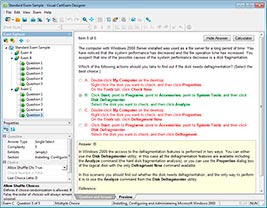
HOW TO OPEN VCE FILES
Use VCE Exam Simulator to open VCE files
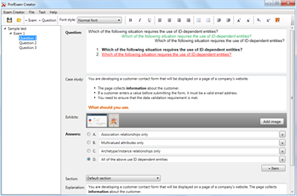
HOW TO OPEN VCEX FILES
Use ProfExam Simulator to open VCEX files
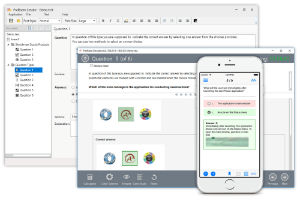
ProfExam at a 20% markdown
You have the opportunity to purchase ProfExam at a 20% reduced price
Get Now!