Download Oracle Solaris 11 Installation and Configuration Essentials.1z0-580.Pass4Success.2026-01-29.75q.vcex
| Vendor: | Oracle |
| Exam Code: | 1z0-580 |
| Exam Name: | Oracle Solaris 11 Installation and Configuration Essentials |
| Date: | Jan 29, 2026 |
| File Size: | 554 KB |
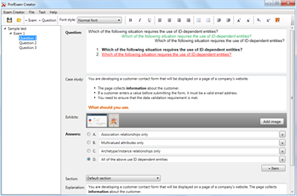
How to open VCEX files?
Files with VCEX extension can be opened by ProfExam Simulator.
Purchase
Coupon: TAURUSSIM_20OFF
Discount: 20%
Demo Questions
Question 1
What three items are true with regard to network planning in a Solaris 11 environment?
- Hardware and network topology should be planned in advance of installation.
- Subnetting needs to be considered when implementing IPv6 networks.
- IPv4 and IPv6 network addressing cannot co-exist on the same server.
- Solaris 11 enables the use of local files, NIS, DNS, or LDAP for name services.
- The physical network topology will determine if you need routers, not all networks require routers.
Correct answer: A, C, D
Explanation:
The following table lists different tasks for planning the network configuration.* (A) Identify the hardware requirements of your planned network topology.Determine the types of equipment that you need for your network site.*(C) Determine the type of IP addresses to use and obtain registered IP addresses.Select whether you are deploying a purely IPv4 network, an IPv6 network, or a network that uses both types of IP addresses. Obtain unique IP addresses to communicate to public networks in the Internet.* (D) Determine a naming scheme to identify the hosts in the network as well as the name service to use.Create a list of names to assign to the systems on the network and decide whether to use NIS, LDAP, DNS, or the network databases in the local /etc directory.* If necessary, establish administrative subdivisions and design a strategy for subnets.Decide if your site requires that you divide your network into subnets to service administrative subdivisions* Determine where to place routers in the network design.If your network is large enough to require routers, create a network topology that supports them.* Decide whether to create virtual networks in the overall network configuration scheme.You might need to create virtual networks within a system to reduce the hardware footprint of your network. The following table lists different tasks for planning the network configuration.
* (A) Identify the hardware requirements of your planned network topology.
Determine the types of equipment that you need for your network site.
*(C) Determine the type of IP addresses to use and obtain registered IP addresses.
Select whether you are deploying a purely IPv4 network, an IPv6 network, or a network that uses both types of IP addresses. Obtain unique IP addresses to communicate to public networks in the Internet.
* (D) Determine a naming scheme to identify the hosts in the network as well as the name service to use.
Create a list of names to assign to the systems on the network and decide whether to use NIS, LDAP, DNS, or the network databases in the local /etc directory.
* If necessary, establish administrative subdivisions and design a strategy for subnets.
Decide if your site requires that you divide your network into subnets to service administrative subdivisions
* Determine where to place routers in the network design.
If your network is large enough to require routers, create a network topology that supports them.
* Decide whether to create virtual networks in the overall network configuration scheme.
You might need to create virtual networks within a system to reduce the hardware footprint of your network.
Question 2
Which term describes a read-only copy of a file system or volume, which can be created quickly easily, and initially consumes no additional Space within the pool?
- vdev
- dataset
- snapshot
- clone
- pool
Correct answer: C
Explanation:
A snapshot is a read-only point-in-time copy of a file system. The copy-on-write designof ZFS makes them essentially ''free'' - They are space efficient and instantaneous, providing an invaluable part of backup strategies and synchronizing data between systems.Incorrect:Incorrect:Not A: A ZFS vdev (aka 'virtual device') is either:a single disk, ortwo or more disks that are mirrored, ora group of disks that are organized using RAID-Z.There are also special kinds of vdevs like hot-spares, ZIL or cache devices, etc.Not D:Clones are writeable snapshots, ideal for storing many privatecopies of shared data for operations such as data migration, testand development, or backup. A snapshot is a read-only point-in-time copy of a file system. The copy-on-write design
of ZFS makes them essentially ''free'' - They are space efficient and instantaneous, providing an invaluable part of backup strategies and synchronizing data between systems.
Incorrect:
Incorrect:
Not A: A ZFS vdev (aka 'virtual device') is either:
a single disk, or
two or more disks that are mirrored, or
a group of disks that are organized using RAID-Z.
There are also special kinds of vdevs like hot-spares, ZIL or cache devices, etc.
Not D:
Clones are writeable snapshots, ideal for storing many private
copies of shared data for operations such as data migration, test
and development, or backup.
Question 3
Which is the preferred command to manage Layer 3 network properties in Oracle Solaris 11?
- dladm
- ipadm
- ifconfig
- netstat
- arp
Correct answer: B
Explanation:
Interfaces that are on the IP layer (Layer 3) are configured by using the ipadm command. Interfaces that are on the IP layer (Layer 3) are configured by using the ipadm command.
Question 4
Which two commands will show or make reference to the aggregation. Immediately after creating the first aggregation?
- dladm show-phys
- dladm show-link
- dladm show-vlan
- dladm show-vnic
- dladm show-aggr
Correct answer: B, E
Explanation:
B: This example shows how to create a DLMP aggregation. The aggregation has three underlying datalinks.# dladm create-aggr -m haonly -l net0 -l net1 -l net2 aggr0# dladm show-linkLINK CLASS MTU STATE BRIDGE OVERnet0 phys 1500 up -- ----net1 phys 1500 up -- ----net2 phys 1500 up -- ----aggr0 aggr 1500 up -- net0, net1, net2# dladm show-aggrLINK MODE POLICY ADDRPOLICY LACPACTIVITY LACPTIMERaggr0 haonly --E: Check the status of the aggregation you just created.# dladm show-aggrThe aggregation's state should be UP. B: This example shows how to create a DLMP aggregation. The aggregation has three underlying datalinks.
# dladm create-aggr -m haonly -l net0 -l net1 -l net2 aggr0
# dladm show-link
LINK CLASS MTU STATE BRIDGE OVER
net0 phys 1500 up -- ----
net1 phys 1500 up -- ----
net2 phys 1500 up -- ----
aggr0 aggr 1500 up -- net0, net1, net2
# dladm show-aggr
LINK MODE POLICY ADDRPOLICY LACPACTIVITY LACPTIMER
aggr0 haonly --
E: Check the status of the aggregation you just created.
# dladm show-aggr
The aggregation's state should be UP.
Question 5
What does the following output mean?
# eeprom | grep network-boot-arguments
network-boot-arguments: data not available
- OBP on this client supports WAN boot and this x86 client can be installed over the network
- OBP on this client supports WAN boot and this SPARC client can be installed over the network.
- No network information can be set on this client to install it over the network.
- BIOS on this client supports WAN boot and this SPARC client can be installed over the network.
- OBP on this client does support WAN boot but this client's data disks failed.
- WAN boot is not supported and the client cannot be installed over the network.
Correct answer: B
Explanation:
* WAN bootSPARC clients of AI installation over the network must support WAN boot.To boot over the network, AI requires WAN boot support for SPARC clients. You can check whether your client Open Boot PROM (OBP) supports WAN boot by checking whether network-boot-arguments is a valid variable that can be set in the eeprom.If the variable network-boot-arguments is displayed, or if the command returns the output network-boot-arguments: data not available, the OBP supports WAN boot and the client can be installed over the network.* The following command shows how to check the client OBP for WAN boot support.# eeprom | grep network-boot-argumentsnetwork-boot-arguments: data not availableIn this example, the output network-boot-arguments: data not available indicates that the client OBP supports WAN boot. * WAN boot
SPARC clients of AI installation over the network must support WAN boot.
To boot over the network, AI requires WAN boot support for SPARC clients. You can check whether your client Open Boot PROM (OBP) supports WAN boot by checking whether network-boot-arguments is a valid variable that can be set in the eeprom.
If the variable network-boot-arguments is displayed, or if the command returns the output network-boot-arguments: data not available, the OBP supports WAN boot and the client can be installed over the network.
* The following command shows how to check the client OBP for WAN boot support.
# eeprom | grep network-boot-arguments
network-boot-arguments: data not available
In this example, the output network-boot-arguments: data not available indicates that the client OBP supports WAN boot.
Question 6
What are the three properties of a business critical cloud infrastructure?
- service isolation
- flexible, virtual application instances
- dedicated, single purpose file servers
- easy, intuitive provisioning, chargeback, and capacity planning
- rigid, inflexible network design
Correct answer: A, B, D
Explanation:
Oracle Cloud InfrastructureOverview* Flexible cloud infrastructure supports dynamic resource pooling, elastic scalability, and rapid application deployment* Includes Oracle Enterprise Manager, a complete cloud lifecycle management solution that allows you to quickly set up, manage, and support enterprise clouds and traditional Oracle IT environments from applications to disk* Built-in security and high availability* Application-aware virtualization and management capabilities Oracle Cloud Infrastructure
Overview
* Flexible cloud infrastructure supports dynamic resource pooling, elastic scalability, and rapid application deployment
* Includes Oracle Enterprise Manager, a complete cloud lifecycle management solution that allows you to quickly set up, manage, and support enterprise clouds and traditional Oracle IT environments from applications to disk
* Built-in security and high availability
* Application-aware virtualization and management capabilities
Question 7
What answer includes three correct methods available to transition Oracle Solaris 10 environments to Oracle Solaris 11?
- Solaris Upgrade installation, Live Upgrade, js2ai and Automated Install
- Solaris Flash Archive Installation, ZFS shadow migration, NFS sharing and pool migration
- Custom JumpStart, Oracle Solaris 10 non-global zones, Iu2be Conversion Utility
- NFS file sharing and pool migration, ZFS shadow migration, JumpStart Migration Utility
- Iu2be Conversion Utility, Solaris Flash Archive installation, Puppet
Correct answer: D
Explanation:
There are no upgrade methods or tools available to transition from Oracle Solaris 10 to Oracle Solaris 11. You cannot use an installer to upgrade from Oracle Solaris 10 to Oracle Solaris 11.Oracle Solaris 11 Transition Tools and Features/ JumpStart Migration Utility (js2ai)Used to convert Oracle Solaris 10 JumpStart rules and profiles to a format that is compatible with AI manifest entries./ ZFS shadow migration featureUsed to migrate data from an existing file system to a new file system./ Oracle Solaris 11 support for Oracle Solaris 10 zonesUsed to migrate your Oracle Solaris 10 application environments to an Oracle Solaris 11 system./ NFS file sharing and pool migrationUsed to access shared files from an Oracle Solaris 10 system on an Oracle Solaris 11 system.Used to import a ZFS storage pool from an Oracle Solaris 10 system into an Oracle Solaris 11 system. There are no upgrade methods or tools available to transition from Oracle Solaris 10 to Oracle Solaris 11. You cannot use an installer to upgrade from Oracle Solaris 10 to Oracle Solaris 11.
Oracle Solaris 11 Transition Tools and Features
/ JumpStart Migration Utility (js2ai)
Used to convert Oracle Solaris 10 JumpStart rules and profiles to a format that is compatible with AI manifest entries.
/ ZFS shadow migration feature
Used to migrate data from an existing file system to a new file system.
/ Oracle Solaris 11 support for Oracle Solaris 10 zones
Used to migrate your Oracle Solaris 10 application environments to an Oracle Solaris 11 system.
/ NFS file sharing and pool migration
Used to access shared files from an Oracle Solaris 10 system on an Oracle Solaris 11 system.
Used to import a ZFS storage pool from an Oracle Solaris 10 system into an Oracle Solaris 11 system.
Question 8
What two benefits will Oracle and our customers likely realize by utilizing a fully integrated stack architecture?
- They will receive hardware and software designed to work together.
- Maintenance for the overall enterprise will be simplified.
- Technical support will need to come from different vendors and the customer will need to manage separate support contracts.
- Customers will be locked into the Oracle architecture.
- Customers will need to deal with more hugs and patches.
Correct answer: A, B
Question 9
Which three options are true of the Oracle Solaris 11 root file system?
- ZFS is the default with UFS as an option.
- ZFS on rpool/ROOT is mandatory.
- Mirroring is enabled by default.
- Alternate boot environments contain only the differences from the previous boot environment.
- Specific boot environments can be specified from GRUB (x86) as well as OBP (SPARC).
Correct answer: A, B, E
Explanation:
A: ZFS is the default root file system.UFS is a supported legacy file system, but it is not supported as a bootable root file system.E:If your system has more than one OS installed on the system or more than one root boot environment in a ZFS root pool, you can boot from these boot environments for both SPARC and x86 platforms:* Starting with the Solaris 10 10/08 release for a SPARC based system, you can boot a ZFS root file system in a ZFS pool. For ZFS root pools, you can list the available boot environments with the boot command with the -L option. You can then choose a boot environment and use the OBP boot command with the -Z option to boot that boot environment.* Starting with the Solaris 10 1/06 release for x86 based systems, a GRUB boot menu provides the interface for booting between different boot environments.Note:* The name originally stood for 'Zettabyte File System' but today does not stand for anything.Incorrect:Not C: Mirroring is not enabled by default.Not D: Alternate boot environmentsIf you want to create a backup of an existing boot environment, for example, prior to modifying the original boot environment, you can use the beadm command to create and mount a new boot environment that is a clone of your active boot environment. This clone is listed as an alternate boot environment in the GRUB menu for x86 systems or in the boot menu for SPARC systems. A: ZFS is the default root file system.
UFS is a supported legacy file system, but it is not supported as a bootable root file system.
E:
If your system has more than one OS installed on the system or more than one root boot environment in a ZFS root pool, you can boot from these boot environments for both SPARC and x86 platforms:
* Starting with the Solaris 10 10/08 release for a SPARC based system, you can boot a ZFS root file system in a ZFS pool. For ZFS root pools, you can list the available boot environments with the boot command with the -L option. You can then choose a boot environment and use the OBP boot command with the -Z option to boot that boot environment.
* Starting with the Solaris 10 1/06 release for x86 based systems, a GRUB boot menu provides the interface for booting between different boot environments.
Note:
* The name originally stood for 'Zettabyte File System' but today does not stand for anything.
Incorrect:
Not C: Mirroring is not enabled by default.
Not D: Alternate boot environments
If you want to create a backup of an existing boot environment, for example, prior to modifying the original boot environment, you can use the beadm command to create and mount a new boot environment that is a clone of your active boot environment. This clone is listed as an alternate boot environment in the GRUB menu for x86 systems or in the boot menu for SPARC systems.
Question 10
Which IPS task requires special privileges?
- Determine if a package is installed or can be updated.
- Identify the group to which a package belongs.
- Determine if a package is in a particular category.
- Determine if a package delivers a specified file.
- Create a copy of an existing IPS package repository.
Correct answer: C
Explanation:
Tasks such as installing and updating IPS packages, setting publishers, and modifying images require more privilege.Incorrect answers:Getting Information About Software PackagesNo special privileges are needed to run any of the following commands.Commands that give you the following kinds of information about packages:(not A) Whether the package is installed or can be updatedThe description, size, and version of the package(not B) Which packages are part of a group package(not C) Which packages are in a particular category(not D) Which package delivers a specified fileNo special privileges are needed to run any of these commands. Tasks such as installing and updating IPS packages, setting publishers, and modifying images require more privilege.
Incorrect answers:
Getting Information About Software Packages
No special privileges are needed to run any of the following commands.
Commands that give you the following kinds of information about packages:
(not A) Whether the package is installed or can be updated
The description, size, and version of the package
(not B) Which packages are part of a group package
(not C) Which packages are in a particular category
(not D) Which package delivers a specified file
No special privileges are needed to run any of these commands.
Question 11
Which command can be used to determine which apache web server packages are installed?
- pkg list apache
- pkg list *apache*
- pkg list installed apache
- pkg list all apache
- pkg list all web installed
Correct answer: A
Explanation:
To display information about software packages, refer to the following examples. No special privileges are required to display information about packages.List the packages that are currently installed on your system:$ pkg list -H entireDetermine whether a specific package is installed in the current image and whether an update is available.$ pkg list amppkg list: no packages matching 'amp' installed To display information about software packages, refer to the following examples. No special privileges are required to display information about packages.
List the packages that are currently installed on your system:
$ pkg list -H entire
Determine whether a specific package is installed in the current image and whether an update is available.
$ pkg list amp
pkg list: no packages matching 'amp' installed
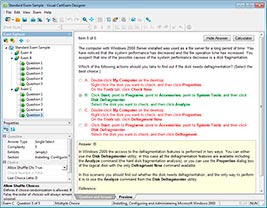
HOW TO OPEN VCE FILES
Use VCE Exam Simulator to open VCE files
HOW TO OPEN VCEX FILES
Use ProfExam Simulator to open VCEX files
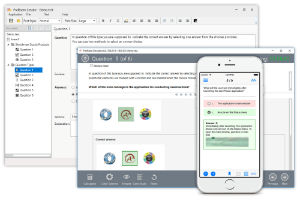
ProfExam at a 20% markdown
You have the opportunity to purchase ProfExam at a 20% reduced price
Get Now!