Download Cybersecurity Business Professional.SC-730.DumpsBase.2026-06-23.50q.tqb
| Vendor: | Microsoft |
| Exam Code: | SC-730 |
| Exam Name: | Cybersecurity Business Professional |
| Date: | Jun 23, 2026 |
| File Size: | 197 KB |
How to open TQB files?
Files with TQB (Taurus Question Bank) extension can be opened by Taurus Exam Studio.
Purchase
Coupon: TAURUSSIM_20OFF
Discount: 20%
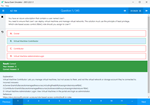
Demo Questions
Question 1
You receive a video message from the CEO urgently requesting a wire transfer. However, the CEO's facial movements look unnatural, and the audio synchronization is slightly off. What emerging threat does this scenario most likely represent?
- An advanced persistent threat operating within the internal network infrastructure.
- A zero-day vulnerability exploit targeting the operating system of your computer.
- A physical security breach where an unauthorized person enters the executive boardroom.
- A malicious deepfake video generated by artificial intelligence to impersonate someone.
Correct answer: D
Question 2
You are tasked with sending a product update newsletter to 500 external customers. You place all 500 email addresses directly in the standard "To" field. What specific type of risk does this action create?
- A severe ransomware risk to the recipients' computers and local residential networks.
- A physical security risk to the company's main office building and data centers.
- A malware risk, as the email server will automatically attach a virus to the message.
- A serious privacy risk, as every customer can now view everyone else's email address.
Correct answer: D
Explanation:
Email addresses are considered Personally Identifiable Information (PII). Putting all recipients in the "To" or "CC" field exposes everyone's contact information to the entire group, constituting a privacy breach. You should always use the "BCC" (Blind Carbon Copy) field or dedicated mailing software for mass communications. Email addresses are considered Personally Identifiable Information (PII). Putting all recipients in the "To" or "CC" field exposes everyone's contact information to the entire group, constituting a privacy breach. You should always use the "BCC" (Blind Carbon Copy) field or dedicated mailing software for mass communications.
Question 3
When creating and managing your passwords for various corporate and personal systems, which of the following practices is currently recommended by security professionals?
- Using your company name followed by the current year and an exclamation mark (e.g., Company2026!).
- Changing a simple password every week by incrementing a number at the very end of the string.
- Creating one highly complex password and utilizing it across all your work and personal systems.
- Using a long, unique passphrase for every single account and storing them in an approved password manager.
Correct answer: D
Explanation:
Modern password guidance emphasizes length (passphrases) over complex character requirements, and absolutely forbids password reuse across different sites. Using a password manager is the only practical way for a user to maintain long, unique passwords for every application without suffering from password fatigue. Modern password guidance emphasizes length (passphrases) over complex character requirements, and absolutely forbids password reuse across different sites. Using a password manager is the only practical way for a user to maintain long, unique passwords for every application without suffering from password fatigue.
Question 4
The IT department mandates the use of an approved enterprise password manager. What is the primary security benefit of integrating this tool into your daily workflow?
- It actively scans the computer's hard drive to detect and remove malicious software.
- It automatically intercepts and deletes all phishing emails before they reach the inbox.
- It completely removes the need to use multi-factor authentication across the network.
- It generates, auto-fills, and securely stores highly complex passwords for every system.
Correct answer: D
Explanation:
A password manager solves "password fatigue." It prevents the dangerous practice of password reuse by generating strong, unique passwords for every application and storing them in an encrypted vault. It does not replace MFA or act as an antivirus. A password manager solves "password fatigue." It prevents the dangerous practice of password reuse by generating strong, unique passwords for every application and storing them in an encrypted vault. It does not replace MFA or act as an antivirus.
Question 5
Why does your IT department strongly recommend saving important work files to an enterprise cloud storage solution (such as OneDrive) instead of strictly on your local C: drive?
- Cloud storage provides automatic backups, allowing file recovery if your device is lost or compromised.
- Cloud storage automatically translates all your written documents into multiple foreign languages.
- Cloud storage allows anonymous internet users to easily locate your public files via search engines.
- Cloud storage physically prevents your laptop hardware from ever being infected by malware.
Correct answer: A
Explanation:
Saving files to enterprise cloud storage ensures continuous synchronization and automatic backups. If the local laptop is stolen, broken, or infected by ransomware, the data is not lost because a recent, uninfected version can be seamlessly recovered from the cloud. Saving files to enterprise cloud storage ensures continuous synchronization and automatic backups. If the local laptop is stolen, broken, or infected by ransomware, the data is not lost because a recent, uninfected version can be seamlessly recovered from the cloud.
Question 6
You receive an email from a trusted vendor stating their bank account has changed, and they request the next invoice be paid to the new account. What is the most secure method to verify this digital communication?
- Update the billing system immediately to avoid late payment penalties and unnecessary fees.
- Reply directly to the email to ask if the new bank details are absolutely correct and valid.
- Forward the email to your entire department to see if anyone knows about the sudden change.
- Call the vendor using a known, verified phone number from a previously signed contract.
Correct answer: D
Explanation:
This scenario requires "out-of-band verification." Because email accounts can be compromised (Business Email Compromise), you must verify sensitive financial requests by using a completely separate and trusted communication channel, such as an official phone number on file. This scenario requires "out-of-band verification." Because email accounts can be compromised (Business Email Compromise), you must verify sensitive financial requests by using a completely separate and trusted communication channel, such as an official phone number on file.
Question 7
Under which of the following circumstances is formal "escalation" to senior management, the legal department, or a specialized incident response team strictly required?
- You accidentally forget your computer login password after returning from a two-week vacation.
- A shared network printer in the marketing department completely runs out of black toner.
- Your computer requires a standard, scheduled software update reboot that takes five minutes.
- You discover an unencrypted database containing thousands of customer credit card numbers was leaked online.
Correct answer: D
Explanation:
Escalation is required when an incident has a severe impact, involves significant data exposure (such as PII or PCI financial data), or triggers legal and compliance obligations. The public exposure of customer credit card numbers requires immediate executive and legal involvement. Escalation is required when an incident has a severe impact, involves significant data exposure (such as PII or PCI financial data), or triggers legal and compliance obligations. The public exposure of customer credit card numbers requires immediate executive and legal involvement.
Question 8
You receive an email that looks like a targeted phishing attempt. You have NOT clicked on any links or attachments. What is the safest and most appropriate way to report this?
- Forward the email to your personal email account to inspect the link safely on your phone.
- Use the corporate email system's built-in "Report Phishing" button or security inbox.
- Reply directly to the malicious sender and aggressively tell them to stop emailing you.
- Take a screenshot of the email and post it in a public company chat room to warn others.
Correct answer: B
Explanation:
Using the built-in "Report Phishing" button or a dedicated security inbox securely packages the email's hidden headers and metadata. This allows the security operations team to analyze the threat safely and proactively block the sender's domain across the entire organization. Using the built-in "Report Phishing" button or a dedicated security inbox securely packages the email's hidden headers and metadata. This allows the security operations team to analyze the threat safely and proactively block the sender's domain across the entire organization.
Question 9
When evaluating digital communications, which of the following characteristics is a classic, highly reliable indicator that an email is likely a phishing attempt?
- The email sender is a known colleague casually asking about your lunch plans for tomorrow.
- The email contains a secure link to an internal SharePoint document you requested yesterday.
- The email uses a generic greeting and creates a false sense of extreme urgency or panic.
- The sender's email address exactly matches the company's official corporate domain name.
Correct answer: C
Explanation:
Phishing emails rely heavily on emotional manipulation. Threat actors frequently use generic greetings (like "Dear Customer") because they don't know your name, and they manufacture artificial urgency (e.g., "Your account will be suspended in 24 hours") to rush you into making a hasty mistake without thinking. Phishing emails rely heavily on emotional manipulation. Threat actors frequently use generic greetings (like "Dear Customer") because they don't know your name, and they manufacture artificial urgency (e.g., "Your account will be suspended in 24 hours") to rush you into making a hasty mistake without thinking.
Question 10
When creating and managing credentials for your various work accounts, which approach is considered the safest standard practice?
- Using a single, highly complex password for all your corporate and personal systems.
- Changing a simple password every month by adding a sequential number at the end.
- Creating unique, long passphrases for each account and using an approved password manager.
- Using your company's name followed by the current year and a special exclamation mark.
Correct answer: C
Explanation:
Security professionals strongly advise against password reuse and easily guessable patterns. Because humans cannot easily remember dozens of unique, long passphrases, using an enterprise-approved password manager is the most secure and practical solution to manage credentials safely. Security professionals strongly advise against password reuse and easily guessable patterns. Because humans cannot easily remember dozens of unique, long passphrases, using an enterprise-approved password manager is the most secure and practical solution to manage credentials safely.
HOW TO OPEN VCE FILES
Use VCE Exam Simulator to open VCE files
HOW TO OPEN VCEX FILES
Use ProfExam Simulator to open VCEX files
ProfExam at a 20% markdown
You have the opportunity to purchase ProfExam at a 20% reduced price
Get Now!