Download GitHub Copilot.GH-300.DumpsBase.2026-06-24.50q.vcex
| Vendor: | Microsoft |
| Exam Code: | GH-300 |
| Exam Name: | GitHub Copilot |
| Date: | Jun 24, 2026 |
| File Size: | 280 KB |
How to open VCEX files?
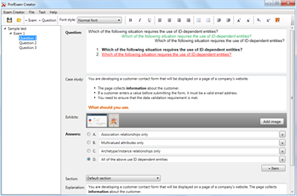
Files with VCEX extension can be opened by ProfExam Simulator.
Purchase
Coupon: TAURUSSIM_20OFF
Discount: 20%
Demo Questions
Question 1
What is the correct way to access the audit log events for GitHub Copilot Business?
- Navigate to the Security tab in the organization's GitHub settings
- Navigate to the Insights tab in the repository settings
- Use the Audit log section in the organization's GitHub settings
- Use the Code tab in the GitHub repository
Correct answer: C
Question 2
Why is code reviewing still necessary when using GitHub Copilot to write tests?
- Because GitHub Copilot can cover all possible scenarios in your test cases.
- Because GitHub Copilot generates the best code possible for the test scenario.
- Because GitHub Copilot's generated test cases may not cover all possible scenarios.
- Because GitHub Copilot replaces the need for manual testing.
Correct answer: C
Explanation:
Code review is necessary because GitHub Copilot's generated test cases might not cover all possible scenarios, especially edge cases and complex interactions.Reference: GitHub Copilot testing best practices. Code review is necessary because GitHub Copilot's generated test cases might not cover all possible scenarios, especially edge cases and complex interactions.
Reference: GitHub Copilot testing best practices.
Question 3
What types of prompts or code snippets might be flagged by the GitHub Copilot toxicity filter? (Each correct answer presents part of the solution. Choose two.)
- Hate speech or discriminatory language (e.g., racial slurs, offensive stereotypes)
- Sexually suggestive or explicit content
- Code that contains logical errors or produces unexpected results
- Code comments containing strong opinions or criticisms
Correct answer: A
Explanation:
GitHub Copilot includes a toxicity filter to prevent the generation of harmful or inappropriate content. This filter flags prompts or code snippets that contain hate speech, discriminatory language, or sexually suggestive or explicit content. This ensures a safe and respectful coding environment.Reference: GitHub Copilot documentation on safety and content filtering. GitHub Copilot includes a toxicity filter to prevent the generation of harmful or inappropriate content. This filter flags prompts or code snippets that contain hate speech, discriminatory language, or sexually suggestive or explicit content. This ensures a safe and respectful coding environment.
Reference: GitHub Copilot documentation on safety and content filtering.
Question 4
What is the process behind identifying public code matches when using a public code filter enabled in GitHub Copilot?
- Running code suggestions through filters designed to detect public code
- Comparing suggestions against public code using machine learning.
- Analyzing the context and structure of the code being written
- Reviewing the user's browsing history to identify public repositories
Correct answer: A
Explanation:
When the public code filter is enabled, GitHub Copilot runs code suggestions through filters designed to detect matches with publicly available code. This helps prevent the generation of code that might infringe on copyright or licensing agreements.Reference: GitHub Copilot documentation on public code filtering and licensing. When the public code filter is enabled, GitHub Copilot runs code suggestions through filters designed to detect matches with publicly available code. This helps prevent the generation of code that might infringe on copyright or licensing agreements.
Reference: GitHub Copilot documentation on public code filtering and licensing.
Question 5
How does GitHub Copilot Chat help in understanding the existing codebase?
- By running code linters and formatters.
- By providing visual diagrams of the code structure.
- By answering questions about the code and generating explanations.
- By automatically refactoring code to improve readability.
Correct answer: C
Explanation:
GitHub Copilot Chat helps in understanding existing codebases by answering questions about the code and generating explanations. This allows developers to quickly grasp the functionality and structure of unfamiliar code.Reference: GitHub Copilot Chat documentation on code understanding. GitHub Copilot Chat helps in understanding existing codebases by answering questions about the code and generating explanations. This allows developers to quickly grasp the functionality and structure of unfamiliar code.
Reference: GitHub Copilot Chat documentation on code understanding.
Question 6
How long does GitHub retain Copilot data for Business and Enterprise? (Each correct answer presents part of the solution. Choose two.)
- Prompts and Suggestions: Not retained
- Prompts and Suggestions: Retained for 28 days
- User Engagement Data: Kept for Two Years
- User Engagement Data: Kept for One Year
Correct answer: A
Explanation:
For GitHub Copilot Business and Enterprise, prompts and suggestions are retained for 28 days to provide context and improve the service. User engagement data, which includes usage patterns and interactions, is kept for two years. This data retention policy is designed to balance service improvement with user privacy.Reference: GitHub Copilot documentation on data privacy and retention policies for Business and Enterprise plans. For GitHub Copilot Business and Enterprise, prompts and suggestions are retained for 28 days to provide context and improve the service. User engagement data, which includes usage patterns and interactions, is kept for two years. This data retention policy is designed to balance service improvement with user privacy.
Reference: GitHub Copilot documentation on data privacy and retention policies for Business and Enterprise plans.
Question 7
How does the /tests slash command assist developers?
- Constructs detailed test documentation.
- Creates unit tests for the selected code.
- Integrates with external testing frameworks.
- Executes test cases to find issues with the code.
Correct answer: B
Explanation:
The /tests slash command in GitHub Copilot Chat creates unit tests for the selected code, helping developers ensure the functionality and reliability of their code.Reference: GitHub Copilot Chat command documentation. The /tests slash command in GitHub Copilot Chat creates unit tests for the selected code, helping developers ensure the functionality and reliability of their code.
Reference: GitHub Copilot Chat command documentation.
Question 8
What is the correct way to exclude specific files from being used by GitHub Copilot Business during code suggestions?
- Modify the .gitignore file to include the specific files.
- Add the specific files to a copilot.ignore file.
- Use the GitHub Copilot settings in the user interface to exclude files.
- Rename the files to include the suffix _no_copilot.
Correct answer: C
Explanation:
The correct way to exclude files is through the GitHub Copilot settings in the user interface, which allows administrators to specify files and directories to be ignored.Reference: GitHub Copilot Business content exclusion documentation. The correct way to exclude files is through the GitHub Copilot settings in the user interface, which allows administrators to specify files and directories to be ignored.
Reference: GitHub Copilot Business content exclusion documentation.
Question 9
Which of the following prompts can be used to guide GitHub Copilot Chat in refactoring code for quality improvements? (Each correct answer presents part of the solution. Choose two.)
- "Show me how to improve the readability of this function."
- "Suggest ways to enhance the maintainability of this code segment."
- "Refactor my application to meet the latest coding standards."
- "Predict future coding trends and update my codebase accordingly."
Correct answer: A
Explanation:
Effective prompts for refactoring include requests that focus on specific quality improvements, such as readability and maintainability. These prompts guide GitHub Copilot to provide relevant and actionable suggestions.Reference: GitHub Copilot prompt engineering best practices. Effective prompts for refactoring include requests that focus on specific quality improvements, such as readability and maintainability. These prompts guide GitHub Copilot to provide relevant and actionable suggestions.
Reference: GitHub Copilot prompt engineering best practices.
Question 10
How long does it take content exclusion to add or be updated?
- Up to 30 minutes
- 45 - 60 minutes
- 60 - 90 minutes
- 24 hours
Correct answer: A
Explanation:
Content exclusions typically take up to 30 minutes to be added or updated.Reference: GitHub Copilot content exclusion documentation. Content exclusions typically take up to 30 minutes to be added or updated.
Reference: GitHub Copilot content exclusion documentation.
Question 11
What is the best way to share feedback about GitHub Copilot Chat when using it on GitHub Mobile?
- The Settings menu in the GitHub Mobile app.
- The feedback section on the GitHub website.
- Use the emojis in the Copilot Chat interface.
- By tweeting at GitHub's official X (previously known as Twitter) account.
Correct answer: C
Explanation:
The best way to share feedback on GitHub Mobile is using the emojis in the Copilot Chat interface, which allows for direct and immediate feedback.Reference: GitHub Copilot Mobile documentation. The best way to share feedback on GitHub Mobile is using the emojis in the Copilot Chat interface, which allows for direct and immediate feedback.
Reference: GitHub Copilot Mobile documentation.
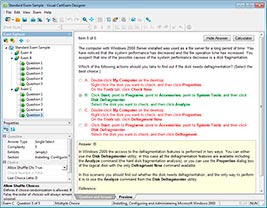
HOW TO OPEN VCE FILES
Use VCE Exam Simulator to open VCE files
HOW TO OPEN VCEX FILES
Use ProfExam Simulator to open VCEX files
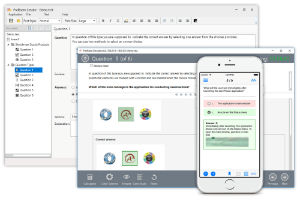
ProfExam at a 20% markdown
You have the opportunity to purchase ProfExam at a 20% reduced price
Get Now!