Download Professional Cloud Network Engineer.Professional-Cloud-Network-Engineer.ExamTopics.2026-04-09.248q.vcex
| Vendor: | |
| Exam Code: | Professional-Cloud-Network-Engineer |
| Exam Name: | Professional Cloud Network Engineer |
| Date: | Apr 09, 2026 |
| File Size: | 2 MB |
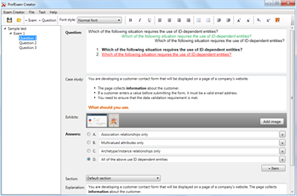
How to open VCEX files?
Files with VCEX extension can be opened by ProfExam Simulator.
Purchase
Coupon: TAURUSSIM_20OFF
Discount: 20%
Demo Questions
Question 1
You are setting up a Dedicated Interconnect connection from your organization’s on-premises data center in Frankfurt, Germany, towards the europe-west3 region, which is also in the Frankfurt metropolitan area. The AI team lead expressed their concern regarding connectivity to the europe-west4 region because their team wants to use Google Cloud TPUs for their workloads. You need to ensure that low latency network connectivity is established for this team’s workloads. You want to minimize costs and operational overhead. What should you do?
- Set up the Dedicated Interconnect connection towards the europe-west4 region instead of the europe-west3 region.
- Set up an additional Partner Interconnect connection between your data center and the europe-west4 region.
- Set up a remote VLAN attachment to the europe-west4 region on the Dedicated Interconnect connection.
- Use Cloud VPN instead of Dedicated Interconnect to send traffic over the internet.
Correct answer: C
Question 2
Your company uses VPC firewall rules and denies all egress traffic. You need to allow some VMs to contact external websites based on their fully qualified domain name (FQDN). You apply the new configuration, but the traffic is still denied. You need to adjust your setup to apply the new configuration. What would you do?
- Raise the priority of the network firewall policy rules.
- Lower the priority of the network firewall policy rules.
- Update the default policy and rule evaluation order to BEFORE_CLASSIC_FIREWALL.
- Update the default policy and rule evaluation order to AFTER_CLASSIC_FIREWALL.
Correct answer: C
Question 3
Your VPC is configured with regional dynamic routing mode. You have deployed VMs and VLAN attachments in the europe-west2 region, and regional internal Application Load Balancers in us-east1. You need to ensure the VMs in the europe-west2 region have connectivity to the regional internal Application Load Balancers in the us-east1 region. What should you do?
- Create the backend in us-east1, create multiple forwarding rules in each region, and then enable regional access.
- Create the backend service in europe-west2, create the forwarding rule in us-east1, and then enable regional access.
- Create the backend service in us-east1, create the forwarding rule in europe-west2, and then enable global access.
- Create the backend service in us-east1, create the forwarding rule in us-east1, and then enable global access.
Correct answer: D
Question 4
You have configured a single IPSec Cloud VPN tunnel for your organization to one of your customers. The VPN Tunnel Status is showing as Established; however the BGP Session Status is showing as BGP not configured. Your customer’s BGP settings are:
- Customer BGP address: 169.254.11.1/30
- Customer ASN: 64515
- Google Cloud BGP address: 169.254.11.2
- Google Cloud ASN: 64517
- MD5 Authentication: Disabled
You need to configure your local BGP session for this tunnel based on the settings provided by the third party customer. You have already associated the Cloud Router with the Cloud VPN Tunnel. What should you do?
- Create a BGP session with these settings:
- Peer ASN: 64517
- Advertise Route Priority (MED): 100
- Local BGP IP: 169.254.11.2
- Peer BGP IP: 169.254.11.1
- MD5 Authentication: Disabled.
- Create a BGP session with these settings:
- Peer ASN: 64515
- Advertise Route Priority (MED): 100
- Local BGP IP: 169.254.11.1
- Peer BGP IP: 169.254.11.2
- MD5 Authentication: Disabled.
- Create a BGP session with these settings:
- Peer ASN: 64515
- Advertise Route Priority (MED): 100
- Local BGP IP: 169.254.11.2
- Peer BGP IP: 169.254.11.1
- MD5 Authentication: Disabled.
- Create a BGP session with these settings:
- Peer ASN: 64515
- Advertise Route Priority (MED): 1000
- Local BGP IP: 169.254.11.2
- Peer BGP IP: 169.254.11.1
- MD5 Authentication: Enabled.
Correct answer: C
Question 5
You are troubleshooting connectivity issues between Google Cloud and a public SaaS provider. The connectivity between the two environments is through the public internet. Your users are reporting intermittent connection errors when using TCP to connect; however, ICMP tests show no failures. According to users, errors occur around the same time every day. You want to troubleshoot and gather information by using Google Cloud tools that are most likely to provide insights to what is occurring within Google Cloud. What should you do?
- Create a Connectivity Test. Review the results for configuration issues in the VPC routing table.
- Enable and review Cloud Logging for Cloud Armor. Look for logs with errors that match the destination IP address of the public SaaS provider.
- Enable and review Cloud Logging on your Cloud NAT Gateway. Look for logs with errors that match the destination IP address of the public SaaS provider.
- Enable the Firewall Insights API. Set the Deny rule insights observation period to one day. Review Insight results to assure there are no firewall rules denying traffic.
Correct answer: C
Question 6
You are designing a Google Kubernetes Engine cluster for your organization. The current cluster size is expected to host 10 nodes, with 20 Pods per node and 150 Services. Because of the migration of new Services over the next two years, there is a planned growth for 100 nodes, 200 Pods per node, and 1500 Services. You want to use VPC-native clusters with alias IP address ranges, while minimizing address consumption. How should you design this topology?
- Create a subnet of size /28 with 2 secondary ranges of: /24 for Pods and /24 for Services. Create a VPC-native cluster and specify those ranges. When the Services are ready to be deployed, resize the subnets.
- Use gcloud container clusters create [CLUSTER_NAME]--enable-ip-alias to create a VPC-native Cluster.
- Create a subnet of size /25 with 2 secondary ranges of: /17 for Pods and /21 for Services. Create a VPC-native cluster and specify those ranges.
- Use gcloud container clusters create [CLUSTER_NAME] to create a VPC-native Cluster.
Correct answer: C
Question 7
Your organization has an on-premises data center. You need to provide connectivity from the on-premises data center to Google Cloud. Bandwidth must be at least 1 Gbps, and the traffic must not traverse the internet. What should you do?
- Configure HA VPN by using high availability gateways and tunnels.
- Configure Cross-Cloud Interconnect by creating a VLAN attachment, activate the connection, and then submit the pairing key to your service provider.
- Configure Dedicated Interconnect by creating a VLAN attachment, activate the connection, and submit the pairing key to your service provider.
- Configure Partner Interconnect by creating a VLAN attachment, submit the pairing key to your service provider, and activate the connection.
Correct answer: D
Question 8
Your company’s web application was just deployed on Compute Engine VMS in multiple Google Cloud regions. You have created multiple instance groups and you need to distribute traffic between these VMs. You want your users to automatically connect to the backend that is located in the closest region while following Google-recommended practices. What should you do?
- Create one global external Application Load Balancer and multiple backend services. Ensure that each backend service contains one backend. Point each backend to a different instance group.
- Create one global external Application Load Balancer and one backend service with multiple backends. Point each backend to a different instance group.
- Create two global external Application Load Balancers with one backend service and one backend. Point each back end to a different instance group.
- Create two global external Application Load Balancers with multiple backend services. Ensure that each backend service contains one backend. Point each backend to a different instance group.
Correct answer: B
Question 9
Your company uses Network Connectivity Center to connect its VPCs in Google Cloud. They plan to connect their on-premises data center to one of these VPCs by using HA VPN. The CIDR range of your on-premises network overlaps with the IP addresses in Google Cloud. You want your VMs in Google Cloud to connect directly to the IP address of the on-premises hosts. What should you do?
- Configure a subnet of purpose REGIONAL_MANAGED_PROXY and use a Google Cloud application load balancer.
- Configure a subnet of purpose REGIONAL_MANAGED_PROXY and use a Google Cloud TCP proxy load balancer.
- Configure a subnet of purpose PRIVATE_NAT and use Private NAT for the Network Connectivity Center spokes.
- Configure a subnet of purpose PRIVATE_NAT and use Hybrid NAT.
Correct answer: D
Question 10
Your organization wants to deploy HA VPN over Cloud Interconnect to ensure encryption-in-transit over the Cloud Interconnect connections. You have created a Cloud Router and two VLAN attachments. The BGP sessions are operational. You need to complete the deployment of the HA VPN over Cloud Interconnect. What should you do?
- Create an HA VPN gateway and associate the gateway with your two VLAN attachments. Use the existing Cloud Router for HA VPN, the peer VPN gateway resources, and the HA VPN tunnels.
- Create an HA VPN gateway and associate the gateway with your two VLAN attachments. Create a new Cloud Router for HA VPN, the peer VPN gateway resources, and the HA VPN tunnels.
- Enable MACsec on the VLAN attachments.
- Enable MACsec on Partner Cloud Interconnect.
Correct answer: B
Question 11
Your organization wants to deploy an internal application named app-1 in VPC-1. The application will consume services from another internal application named app-2 in VPC-2. VPC Network Peering will connect both applications. You need to apply microsegmentation between these two applications and VPCs. What should you do?
- Assign network tags to these applications: secure-tag-app-1 to app-1 and secure-tag-app-2 to app-2. Configure a hierarchical firewall policy with an ingress rule that allows traffic from secure-tag-app-1 to secure-tag-app-2. Leave the default deny ingress rule and the default allow egress rule.
- Assign secure tags to these applications: secure-tag-app-1 to app-1 and secure-tag-app-2 to app-2. Configure a hierarchical firewall policy with an ingress rule that allows traffic from secure-tag-app-1 to secure-tag-app-2. Leave the default deny ingress rule and the default allow egress rule.
- Assign network tags to these applications: secure-tag-app-1 to app-1 and secure-tag-app-2 to app-2. Configure an ingress VPC firewall rule that allows traffic from secure-tag-app-1 to secure-tag-app-2. Leave the default deny ingress rule and the default allow egress rule.
- Assign secure tags to these applications: secure-tag-app-1 to app-1 and secure-tag-app-2 to app-2. Configure a network firewall policy that is attached to VPC-2 with an ingress rule that allows traffic from secure-tag-app-1 to secure-tag-app-2. Leave the default deny ingress rule and the default allow egress rule.
Correct answer: C
HOW TO OPEN VCE FILES
Use VCE Exam Simulator to open VCE files
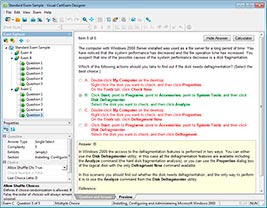
HOW TO OPEN VCEX FILES
Use ProfExam Simulator to open VCEX files
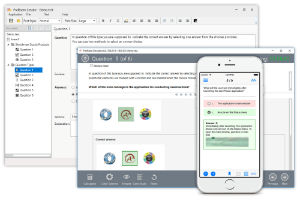
ProfExam at a 20% markdown
You have the opportunity to purchase ProfExam at a 20% reduced price
Get Now!