Download Enterprise Geodata Management Professional 2201.EGMP2201.Pass4Success.2026-02-05.20q.tqb
| Vendor: | Esri |
| Exam Code: | EGMP2201 |
| Exam Name: | Enterprise Geodata Management Professional 2201 |
| Date: | Feb 05, 2026 |
| File Size: | 132 KB |
How to open TQB files?
Files with TQB (Taurus Question Bank) extension can be opened by Taurus Exam Studio.
Purchase
Coupon: TAURUSSIM_20OFF
Discount: 20%
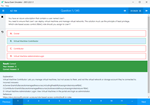
Demo Questions
Question 1
ArcGIS Pro users must be able to use the Undo and Redo buttons while editing a dataset. At the same time, SQL users must be able to edit this dataset.
How should the ArcGIS data administrator configure this dataset?
- Nonversioned editing
- Traditional versioning
- Branch versioning
Correct answer: B
Explanation:
Understanding the Scenario:ArcGIS Pro users need Undo/Redo functionality, which is available in versioned workflows.SQL users also need to edit the dataset, requiring direct access to the database tables.These requirements point to a need for a versioning method that supports both ArcGIS client workflows and SQL-based edits.Versioning Methods Overview:Nonversioned Editing: Nonversioned editing allows direct editing of the database but does not support Undo/Redo functionality in ArcGIS Pro, making it unsuitable for this scenario.Traditional Versioning:Supports Undo/Redo functionality for ArcGIS Pro users.Stores edits in delta tables (adds and deletes) to manage versions.SQL users can access and edit the base tables, making it compatible with their needs.Branch Versioning: Branch versioning supports modern workflows and web services but requires a service-based approach for editing. It does not allow direct SQL edits, making it unsuitable for this scenario.Steps to Implement Traditional Versioning:Enable traditional versioning on the dataset in the enterprise geodatabase.Ensure appropriate permissions are set for SQL users to access and edit the base tables.ArcGIS Pro users will work in the versioned environment, allowing Undo/Redo operations during their edits.Reference:Esri Documentation: Understanding Versioning.Traditional Versioning Concepts: Best practices for using traditional versioning with multiple user types.Why the Correct Answer is B: Traditional versioning fulfills both requirements: Undo/Redo functionality for ArcGIS Pro users and SQL accessibility for direct edits. Understanding the Scenario:
ArcGIS Pro users need Undo/Redo functionality, which is available in versioned workflows.
SQL users also need to edit the dataset, requiring direct access to the database tables.
These requirements point to a need for a versioning method that supports both ArcGIS client workflows and SQL-based edits.
Versioning Methods Overview:
Nonversioned Editing: Nonversioned editing allows direct editing of the database but does not support Undo/Redo functionality in ArcGIS Pro, making it unsuitable for this scenario.
Traditional Versioning:
Supports Undo/Redo functionality for ArcGIS Pro users.
Stores edits in delta tables (adds and deletes) to manage versions.
SQL users can access and edit the base tables, making it compatible with their needs.
Branch Versioning: Branch versioning supports modern workflows and web services but requires a service-based approach for editing. It does not allow direct SQL edits, making it unsuitable for this scenario.
Steps to Implement Traditional Versioning:
Enable traditional versioning on the dataset in the enterprise geodatabase.
Ensure appropriate permissions are set for SQL users to access and edit the base tables.
ArcGIS Pro users will work in the versioned environment, allowing Undo/Redo operations during their edits.
Reference:
Esri Documentation: Understanding Versioning.
Traditional Versioning Concepts: Best practices for using traditional versioning with multiple user types.
Why the Correct Answer is B: Traditional versioning fulfills both requirements: Undo/Redo functionality for ArcGIS Pro users and SQL accessibility for direct edits.
Question 2
AGIS data administrator is creating new feature classes within an enterprise geodatabase using the following workflow:
- Five feature classes are added to a feature dataset
- The feature dataset is registered as versioned without the move-edits-to-base option
- Then another feature class is added to the same feature dataset
Users receive error messages when trying to edit any of the feature classes within the feature dataset.
What should the administrator do?
- Unregister as versioned on the feature dataset and then register as versioned again
- Register as versioned on the feature dataset one additional time
- Switch the editing workflow to versioned editing with the move-edits-to-base option
Correct answer: A
Explanation:
Scenario Overview:Five feature classes are added to a feature dataset, which is registered as versioned without the move-edits-to-base option.Afterward, another feature class is added to the same feature dataset.Users encounter errors when trying to edit any feature class in the feature dataset.Cause of the Problem: When a feature dataset is registered as versioned, all feature classes within it must maintain consistency in their versioning state. Adding a new feature class to a previously versioned feature dataset can disrupt the synchronization, causing errors during editing.Solution:Unregister as versioned on the feature dataset: This removes versioning from all feature classes in the dataset, resetting their versioning state.Register the feature dataset as versioned again: This ensures all feature classes, including the newly added one, are correctly registered with the same versioning state. (ArcGIS Documentation: Registering Datasets as Versioned)Alternative Options:Option B: Registering the feature dataset again would not resolve the issue because versioning conflicts persist unless the entire feature dataset is unregistered and re-registered.Option C: Switching to the move-edits-to-base option is unnecessary and alters the editing workflow, which may not align with the current setup or user needs.Thus, the administrator should unregister the feature dataset as versioned and re-register it to resolve the errors. Scenario Overview:
Five feature classes are added to a feature dataset, which is registered as versioned without the move-edits-to-base option.
Afterward, another feature class is added to the same feature dataset.
Users encounter errors when trying to edit any feature class in the feature dataset.
Cause of the Problem: When a feature dataset is registered as versioned, all feature classes within it must maintain consistency in their versioning state. Adding a new feature class to a previously versioned feature dataset can disrupt the synchronization, causing errors during editing.
Solution:
Unregister as versioned on the feature dataset: This removes versioning from all feature classes in the dataset, resetting their versioning state.
Register the feature dataset as versioned again: This ensures all feature classes, including the newly added one, are correctly registered with the same versioning state. (ArcGIS Documentation: Registering Datasets as Versioned)
Alternative Options:
Option B: Registering the feature dataset again would not resolve the issue because versioning conflicts persist unless the entire feature dataset is unregistered and re-registered.
Option C: Switching to the move-edits-to-base option is unnecessary and alters the editing workflow, which may not align with the current setup or user needs.
Thus, the administrator should unregister the feature dataset as versioned and re-register it to resolve the errors.
Question 3
An organization needs to distribute data to a regional office. The regional office does not have ArcGIS Enterprise orArcGIS Online accounts. The regional office also does not have access to an enterprise geodatabase.
Which data distribution solution should be used?
- Geodatabase replication
- Distributed collaboration
- Partnered collaborations
Correct answer: A
Explanation:
Understanding the Scenario:The regional office lacks access to ArcGIS Enterprise, ArcGIS Online accounts, or an enterprise geodatabase.Data must be distributed in a format that the regional office can use independently of enterprise-level systems.Data Distribution Solutions Overview:Geodatabase Replication:Geodatabase replication allows data to be exported and shared with external systems, such as file or personal geodatabases.Replicas can be set up in a disconnected mode, enabling regional offices to work with the data offline.Distributed Collaboration: Distributed collaboration facilitates sharing data and content between ArcGIS Enterprise and ArcGIS Online environments. It is unsuitable for offices without these systems.Partnered Collaborations: Partnered collaborations extend distributed collaboration to partner organizations, but they also require ArcGIS Online accounts, making them incompatible with this scenario.Steps to Implement Geodatabase Replication:Create a one-way replica of the data in a format compatible with the regional office's systems (e.g., file geodatabase).Transfer the replica to the regional office via portable media or secure file sharing.Set up periodic updates if the data needs to be refreshed.Reference:Esri Documentation: Geodatabase Replication.Disconnected Workflows: Best practices for sharing data in offline environments.Why the Correct Answer is A: Geodatabase replication is the most suitable solution for sharing data with a regional office that lacks enterprise-level systems. Distributed and partnered collaborations require ArcGIS Enterprise or ArcGIS Online accounts, which are unavailable in this scenario. Understanding the Scenario:
The regional office lacks access to ArcGIS Enterprise, ArcGIS Online accounts, or an enterprise geodatabase.
Data must be distributed in a format that the regional office can use independently of enterprise-level systems.
Data Distribution Solutions Overview:
Geodatabase Replication:
Geodatabase replication allows data to be exported and shared with external systems, such as file or personal geodatabases.
Replicas can be set up in a disconnected mode, enabling regional offices to work with the data offline.
Distributed Collaboration: Distributed collaboration facilitates sharing data and content between ArcGIS Enterprise and ArcGIS Online environments. It is unsuitable for offices without these systems.
Partnered Collaborations: Partnered collaborations extend distributed collaboration to partner organizations, but they also require ArcGIS Online accounts, making them incompatible with this scenario.
Steps to Implement Geodatabase Replication:
Create a one-way replica of the data in a format compatible with the regional office's systems (e.g., file geodatabase).
Transfer the replica to the regional office via portable media or secure file sharing.
Set up periodic updates if the data needs to be refreshed.
Reference:
Esri Documentation: Geodatabase Replication.
Disconnected Workflows: Best practices for sharing data in offline environments.
Why the Correct Answer is A: Geodatabase replication is the most suitable solution for sharing data with a regional office that lacks enterprise-level systems. Distributed and partnered collaborations require ArcGIS Enterprise or ArcGIS Online accounts, which are unavailable in this scenario.
Question 4
A GIS administrator needs to facilitate the collaboration of two teams of GIS analysts in two different offices. Each office needs a copy of the data in its own enterprise geodatabase. and analysts in both offices will edit the same feature classes. Changes will be synchronized nightly.
The GIS administrator needs to set up the information infrastructure so that both teams can work together.
What should the administrator use to meet the requirements?
- Geodatabase replication
- Database replication
- Distributed collaboration
Correct answer: A
Explanation:
To facilitate collaboration between two teams of GIS analysts located in different offices, each requiring a copy of the data in their own enterprise geodatabase with the ability to edit the same feature classes and synchronize changes nightly, geodatabase replication is the appropriate solution.Understanding Geodatabase Replication:Geodatabase replication is a data distribution method in ArcGIS that allows you to create copies of data across two or more geodatabases. This enables multiple users to work with the same datasets in different locations, with the ability to synchronize changes to ensure consistency.ARCGIS PROTypes of Geodatabase Replication:There are three types of geodatabase replication:One-Way Replication: Changes are sent in a single direction---from the parent to the child replica.Two-Way Replication: Changes are synchronized in both directions between the parent and child replicas. This is suitable when multiple editors need to update the same datasets in different locations.Checkout/Check-in Replication: Data is checked out to a child replica for editing and then checked back in to the parent replica.In this scenario, two-way replication is ideal, as it allows both teams to edit the same feature classes and synchronize changes nightly, ensuring that both geodatabases remain consistent.ARCGIS PROAlternative Options:Database Replication: This refers to replicating entire databases at the DBMS level. While it can synchronize data, it doesn't account for the geodatabase-specific behaviors, rules, and relationships managed by ArcGIS. Therefore, it may not be suitable for scenarios requiring synchronization of geodatabase-specific functionalities.Distributed Collaboration: This is a framework in ArcGIS Enterprise that allows sharing of content, such as maps, layers, and apps, across multiple ArcGIS Enterprise deployments or between ArcGIS Enterprise and ArcGIS Online. However, it doesn't provide the fine-grained control over data editing and synchronization required in this scenario.GEODATABASE RESOURCESTherefore, to meet the requirements of both teams being able to edit the same feature classes in their respective enterprise geodatabases and synchronize changes nightly, geodatabase replication is the most appropriate solution. To facilitate collaboration between two teams of GIS analysts located in different offices, each requiring a copy of the data in their own enterprise geodatabase with the ability to edit the same feature classes and synchronize changes nightly, geodatabase replication is the appropriate solution.
Understanding Geodatabase Replication:
Geodatabase replication is a data distribution method in ArcGIS that allows you to create copies of data across two or more geodatabases. This enables multiple users to work with the same datasets in different locations, with the ability to synchronize changes to ensure consistency.
ARCGIS PRO
Types of Geodatabase Replication:
There are three types of geodatabase replication:
One-Way Replication: Changes are sent in a single direction---from the parent to the child replica.
Two-Way Replication: Changes are synchronized in both directions between the parent and child replicas. This is suitable when multiple editors need to update the same datasets in different locations.
Checkout/Check-in Replication: Data is checked out to a child replica for editing and then checked back in to the parent replica.
In this scenario, two-way replication is ideal, as it allows both teams to edit the same feature classes and synchronize changes nightly, ensuring that both geodatabases remain consistent.
ARCGIS PRO
Alternative Options:
Database Replication: This refers to replicating entire databases at the DBMS level. While it can synchronize data, it doesn't account for the geodatabase-specific behaviors, rules, and relationships managed by ArcGIS. Therefore, it may not be suitable for scenarios requiring synchronization of geodatabase-specific functionalities.
Distributed Collaboration: This is a framework in ArcGIS Enterprise that allows sharing of content, such as maps, layers, and apps, across multiple ArcGIS Enterprise deployments or between ArcGIS Enterprise and ArcGIS Online. However, it doesn't provide the fine-grained control over data editing and synchronization required in this scenario.
GEODATABASE RESOURCES
Therefore, to meet the requirements of both teams being able to edit the same feature classes in their respective enterprise geodatabases and synchronize changes nightly, geodatabase replication is the most appropriate solution.
Question 5
An organization needs to edit GIS data using web services. The data must be stored locally in the organization's servers. Specific business fields must be indexed in the database to help with performance.
Which storage should be used for the data?
- Enterprise geodatabase
- File geodatabase
- Hosted relational database
Correct answer: A
Explanation:
Comprehensive Detailed Step-by-Step Explanation with All Enterprise Geodata Reference:An Enterprise geodatabase is the most appropriate choice for this scenario due to the following reasons:1. Requirement to Store Data Locally on Organization's ServersAn Enterprise geodatabase allows organizations to store GIS data locally in their own database management systems (DBMS), such as PostgreSQL, SQL Server, or Oracle.This meets the requirement of maintaining control over data storage and ensuring the data resides within the organization's infrastructure.2. Editing GIS Data via Web ServicesEnterprise geodatabases seamlessly integrate with ArcGIS Server, enabling data editing via web services.Organizations can publish feature services to allow authorized users to edit GIS data in real-time or in a disconnected environment (via sync).These services support advanced editing workflows, including versioning and conflict resolution.3. Indexing Specific Business Fields for PerformanceEnterprise geodatabases offer robust indexing options to enhance query and editing performance.You can:Create attribute indexes on fields that are frequently queried.Use spatial indexes to improve the speed of spatial queries.This level of customization helps meet the performance demands of specific business workflows.4. Advantages Over Other Storage OptionsFile Geodatabase:While it is suitable for smaller datasets and local storage, it does not support multi-user editing, integration with web services, or advanced indexing for business fields.Hosted Relational Database:This option is part of ArcGIS Online or ArcGIS Enterprise managed services and stores data in the cloud, which contradicts the requirement for local storage.It also does not provide the same level of control or indexing capabilities as an enterprise geodatabase.Reference from Esri Documentation and Learning Resources:Enterprise Geodatabases---ArcGIS Pro DocumentationConfiguring Indexes in GeodatabasesPublishing Feature Services for EditingConclusion:An Enterprise geodatabase not only meets all the stated requirements (local storage, web service editing, and indexed fields for performance) but also provides additional scalability, security, and multi-user editing capabilities. Comprehensive Detailed Step-by-Step Explanation with All Enterprise Geodata Reference:
An Enterprise geodatabase is the most appropriate choice for this scenario due to the following reasons:
1. Requirement to Store Data Locally on Organization's Servers
An Enterprise geodatabase allows organizations to store GIS data locally in their own database management systems (DBMS), such as PostgreSQL, SQL Server, or Oracle.
This meets the requirement of maintaining control over data storage and ensuring the data resides within the organization's infrastructure.
2. Editing GIS Data via Web Services
Enterprise geodatabases seamlessly integrate with ArcGIS Server, enabling data editing via web services.
Organizations can publish feature services to allow authorized users to edit GIS data in real-time or in a disconnected environment (via sync).
These services support advanced editing workflows, including versioning and conflict resolution.
3. Indexing Specific Business Fields for Performance
Enterprise geodatabases offer robust indexing options to enhance query and editing performance.
You can:
Create attribute indexes on fields that are frequently queried.
Use spatial indexes to improve the speed of spatial queries.
This level of customization helps meet the performance demands of specific business workflows.
4. Advantages Over Other Storage Options
File Geodatabase:
While it is suitable for smaller datasets and local storage, it does not support multi-user editing, integration with web services, or advanced indexing for business fields.
Hosted Relational Database:
This option is part of ArcGIS Online or ArcGIS Enterprise managed services and stores data in the cloud, which contradicts the requirement for local storage.
It also does not provide the same level of control or indexing capabilities as an enterprise geodatabase.
Reference from Esri Documentation and Learning Resources:
Enterprise Geodatabases---ArcGIS Pro Documentation
Configuring Indexes in Geodatabases
Publishing Feature Services for Editing
Conclusion:
An Enterprise geodatabase not only meets all the stated requirements (local storage, web service editing, and indexed fields for performance) but also provides additional scalability, security, and multi-user editing capabilities.
Question 6
A GIS data administrator creates a replica pair to publish changes from the organization's production server to a consultant's server. Edits are being performed on the data in the consultant's replica and are overwritten as they conflict with edits applied during synchronization.
Which replication type is causing this issue?
- Checkout/check-in
- One-way, parent to child
- One-way, child to parent
Correct answer: B
Explanation:
The issue arises because One-way, parent to child replication is being used. In this type of replication, changes from the parent replica (production server) overwrite the data in the child replica (consultant's server) during synchronization, regardless of edits made in the child replica.1. One-way Replication WorkflowParent to Child: Changes are pushed from the parent to the child. The child can make local edits, but these edits are not sent back to the parent, and they can be overwritten when synchronizing.In this case, the consultant's edits are overwritten because the synchronization is unidirectional from the production server to the consultant's server.2. Issue with Conflicting EditsSince One-way, parent to child replication does not support bi-directional synchronization or conflict detection, local changes in the child replica are not preserved if the parent replica pushes updates that conflict with them.3. Why Not Other Options?Checkout/check-in:This replication type allows edits to be made in the checkout replica and reconciled back to the parent during check-in. This ensures that conflicting edits are addressed.One-way, child to parent:In this replication, edits flow from the child replica to the parent replica. The issue described does not align with this setup.Reference from Esri Documentation and Learning Resources:Geodatabase Replication---ArcGIS Pro DocumentationUnderstanding One-Way ReplicationConclusion:The issue occurs because One-way, parent to child replication is being used, where edits made on the child replica are overwritten by updates from the parent replica during synchronization. The issue arises because One-way, parent to child replication is being used. In this type of replication, changes from the parent replica (production server) overwrite the data in the child replica (consultant's server) during synchronization, regardless of edits made in the child replica.
1. One-way Replication Workflow
Parent to Child: Changes are pushed from the parent to the child. The child can make local edits, but these edits are not sent back to the parent, and they can be overwritten when synchronizing.
In this case, the consultant's edits are overwritten because the synchronization is unidirectional from the production server to the consultant's server.
2. Issue with Conflicting Edits
Since One-way, parent to child replication does not support bi-directional synchronization or conflict detection, local changes in the child replica are not preserved if the parent replica pushes updates that conflict with them.
3. Why Not Other Options?
Checkout/check-in:
This replication type allows edits to be made in the checkout replica and reconciled back to the parent during check-in. This ensures that conflicting edits are addressed.
One-way, child to parent:
In this replication, edits flow from the child replica to the parent replica. The issue described does not align with this setup.
Reference from Esri Documentation and Learning Resources:
Geodatabase Replication---ArcGIS Pro Documentation
Understanding One-Way Replication
Conclusion:
The issue occurs because One-way, parent to child replication is being used, where edits made on the child replica are overwritten by updates from the parent replica during synchronization.
Question 7
A data owner creates a one-way replica parent-to-child for a single feature class to share data from a production geodatabase to a public-facing geodatabase.
- The data owner synchronizes once a week to share updated data
- In time, the data owner wants to add a new attribute field/field type and calculates new attribute values
- The data owner synchronizes the replicas, but the new field and values are not present in the child replica
- In the public-facing geodatabase, the data owner adds the same attribute field and field type
- The data owner synchronizes the replicas again, and the values are not replicated in the child replica
How should the data owner resolve this issue?
- Unregister the replica pair?, run Enable Replica Tracking and Synchronize Change?
- Unregister the replica pairs, run Feature Compare and Synchronize Changes
- Unregister the replica pairs, recreate the replica, and Synchronize Changes
Correct answer: C
Explanation:
Scenario Overview:A one-way replica from parent to child geodatabase is created for a single feature class.The data owner adds a new attribute field in the parent geodatabase, calculates values, and attempts to synchronize the replica.The new field and its values do not appear in the child replica, even after manually adding the field to the child geodatabase.Why Recreate the Replica?The issue arises because schema changes (e.g., adding new fields) are not automatically propagated in one-way replication workflows. Synchronization only applies to data changes, not schema updates.To ensure the schema changes are recognized, the replica pair must be recreated with the updated schema. (ArcGIS Documentation: Geodatabase Replication and Schema Changes)Steps to Resolve the Issue:Unregister the Replica: Remove the existing replica pair from both the parent and child geodatabases.Recreate the Replica: Create a new one-way replica between the parent and child geodatabases. This new replica will include the updated schema.Synchronize Changes: Perform synchronization to transfer data, including the new field and calculated values, to the child geodatabase.Alternative Options:Option A: Enabling replica tracking does not address schema synchronization and would not resolve the issue.Option B: Running Feature Compare is helpful for analyzing schema differences but does not propagate schema changes.Thus, the data owner must unregister the replica pairs, recreate the replica with the updated schema, and synchronize changes to resolve the issue. Scenario Overview:
A one-way replica from parent to child geodatabase is created for a single feature class.
The data owner adds a new attribute field in the parent geodatabase, calculates values, and attempts to synchronize the replica.
The new field and its values do not appear in the child replica, even after manually adding the field to the child geodatabase.
Why Recreate the Replica?
The issue arises because schema changes (e.g., adding new fields) are not automatically propagated in one-way replication workflows. Synchronization only applies to data changes, not schema updates.
To ensure the schema changes are recognized, the replica pair must be recreated with the updated schema. (ArcGIS Documentation: Geodatabase Replication and Schema Changes)
Steps to Resolve the Issue:
Unregister the Replica: Remove the existing replica pair from both the parent and child geodatabases.
Recreate the Replica: Create a new one-way replica between the parent and child geodatabases. This new replica will include the updated schema.
Synchronize Changes: Perform synchronization to transfer data, including the new field and calculated values, to the child geodatabase.
Alternative Options:
Option A: Enabling replica tracking does not address schema synchronization and would not resolve the issue.
Option B: Running Feature Compare is helpful for analyzing schema differences but does not propagate schema changes.
Thus, the data owner must unregister the replica pairs, recreate the replica with the updated schema, and synchronize changes to resolve the issue.
Question 8
A GIS data administrator frequently changes the map based on definition queries. A noticeable lag occurs when changing the parameter value of the definition query.
Which action should be taken?
- Add Attribute Index
- Add Spatial Index
- Recalculate Extent
Correct answer: A
Explanation:
Scenario Overview:The GIS data administrator is experiencing lag when changing the parameter value of a definition query.Definition queries dynamically filter data based on attribute values. Slow performance often indicates inefficient attribute searches.Solution: Add Attribute IndexAn attribute index allows the database to quickly locate rows based on values in the indexed column, significantly improving query performance.When definition queries rely on non-indexed fields, the database must scan the entire dataset to filter records, leading to noticeable delays.By creating an attribute index on the fields used in the definition query, the database can optimize filtering, reducing lag. (ArcGIS Documentation: Attribute Indexes)Steps to Add Attribute Index:In ArcGIS Pro, open the Attribute Indexes tool.Select the feature class or table used in the definition query.Specify the field(s) that the definition query is based on.Click Run to create the index.Alternative Options:Option B: Add Spatial IndexSpatial indexes optimize spatial queries (e.g., finding features within an area). This does not address attribute-based definition query lag.Option C: Recalculate ExtentRecalculating the extent corrects boundary discrepancies in spatial datasets but has no impact on attribute query performance.Thus, adding an attribute index is the correct action to resolve lag in definition queries. Scenario Overview:
The GIS data administrator is experiencing lag when changing the parameter value of a definition query.
Definition queries dynamically filter data based on attribute values. Slow performance often indicates inefficient attribute searches.
Solution: Add Attribute Index
An attribute index allows the database to quickly locate rows based on values in the indexed column, significantly improving query performance.
When definition queries rely on non-indexed fields, the database must scan the entire dataset to filter records, leading to noticeable delays.
By creating an attribute index on the fields used in the definition query, the database can optimize filtering, reducing lag. (ArcGIS Documentation: Attribute Indexes)
Steps to Add Attribute Index:
In ArcGIS Pro, open the Attribute Indexes tool.
Select the feature class or table used in the definition query.
Specify the field(s) that the definition query is based on.
Click Run to create the index.
Alternative Options:
Option B: Add Spatial Index
Spatial indexes optimize spatial queries (e.g., finding features within an area). This does not address attribute-based definition query lag.
Option C: Recalculate Extent
Recalculating the extent corrects boundary discrepancies in spatial datasets but has no impact on attribute query performance.
Thus, adding an attribute index is the correct action to resolve lag in definition queries.
Question 9
A user plans to use a standard database view of a roads feature class from a geodatabase that is different from the primary enterprise geodatabase. Roads is frequently edited in the parent geodatabase, so the user needs to regularly synchronize and have the view recognize all incoming edits immediately.
Which replica type should be used?
- One-way replica with the simple model
- One-way replica with the full model
- Two-way replication simple model
Correct answer: B
Explanation:
Scenario Overview:The user requires a standard database view of the roads feature class that resides in a different geodatabase from the primary enterprise geodatabase.The roads feature class is frequently edited, and the user needs the view to recognize updates immediately.Replica Types in ArcGIS:One-way replication with the full model is suitable for scenarios where the parent geodatabase sends updates to the child geodatabase, and all schema and data changes are synchronized.In the full model, the child database retains versioning and acknowledges updates as they occur in the parent database, enabling the user to see immediate updates in their standard view. (ArcGIS Documentation: Geodatabase Replication Types)Key Features of the Full Model:Synchronizes both schema and data changes.Suitable for feature classes with frequent edits.Ensures that the standard database view reflects updates immediately upon synchronization.Alternative Options:Option A: The simple model in one-way replication supports data-only synchronization and does not update schema changes, making it insufficient for dynamic environments.Option C: Two-way replication is unnecessary since the edits occur only in the parent geodatabase.Thus, one-way replication with the full model is the appropriate choice to meet the requirement. Scenario Overview:
The user requires a standard database view of the roads feature class that resides in a different geodatabase from the primary enterprise geodatabase.
The roads feature class is frequently edited, and the user needs the view to recognize updates immediately.
Replica Types in ArcGIS:
One-way replication with the full model is suitable for scenarios where the parent geodatabase sends updates to the child geodatabase, and all schema and data changes are synchronized.
In the full model, the child database retains versioning and acknowledges updates as they occur in the parent database, enabling the user to see immediate updates in their standard view. (ArcGIS Documentation: Geodatabase Replication Types)
Key Features of the Full Model:
Synchronizes both schema and data changes.
Suitable for feature classes with frequent edits.
Ensures that the standard database view reflects updates immediately upon synchronization.
Alternative Options:
Option A: The simple model in one-way replication supports data-only synchronization and does not update schema changes, making it insufficient for dynamic environments.
Option C: Two-way replication is unnecessary since the edits occur only in the parent geodatabase.
Thus, one-way replication with the full model is the appropriate choice to meet the requirement.
Question 10
All editors reconcile and post their versions daily. Other users create read-only versions for analysis purposes, so they do not reconcile and post those versions. The geodatabase administrator compresses the geodatabase nightly. For several months, performance steadily worsens.
Which action should be taken?
- Reconcile the read-only versions
- Create a database view
- Disable editor tracking
Correct answer: A
Explanation:
Scenario Overview:Editors reconcile and post daily, but read-only versions created for analysis are not reconciled or posted.The geodatabase is compressed nightly, but performance continues to degrade.Cause of the Problem:Unreconciled versions, including read-only ones, persist in the state tree, preventing the geodatabase compression from fully collapsing unused states.Over time, this results in a bloated state tree and worsened performance.Solution:Reconciling and posting the read-only versions ensures that the state tree is cleared of unnecessary versions, enabling compression to collapse the database to its optimal state.(ArcGIS Documentation: Reconcile and Post)Alternative Options:Option B: Creating a database view provides a read-only representation of data but does not address the underlying issue of unresolved states in the state tree.Option C: Disabling editor tracking is unrelated to state tree performance issues and has no impact on the reconciliation or compression processes.Therefore, reconciling the read-only versions will significantly improve performance. Scenario Overview:
Editors reconcile and post daily, but read-only versions created for analysis are not reconciled or posted.
The geodatabase is compressed nightly, but performance continues to degrade.
Cause of the Problem:
Unreconciled versions, including read-only ones, persist in the state tree, preventing the geodatabase compression from fully collapsing unused states.
Over time, this results in a bloated state tree and worsened performance.
Solution:
Reconciling and posting the read-only versions ensures that the state tree is cleared of unnecessary versions, enabling compression to collapse the database to its optimal state.
(ArcGIS Documentation: Reconcile and Post)
Alternative Options:
Option B: Creating a database view provides a read-only representation of data but does not address the underlying issue of unresolved states in the state tree.
Option C: Disabling editor tracking is unrelated to state tree performance issues and has no impact on the reconciliation or compression processes.
Therefore, reconciling the read-only versions will significantly improve performance.
HOW TO OPEN VCE FILES
Use VCE Exam Simulator to open VCE files
HOW TO OPEN VCEX FILES
Use ProfExam Simulator to open VCEX files
ProfExam at a 20% markdown
You have the opportunity to purchase ProfExam at a 20% reduced price
Get Now!